Short answer: Good 5651 logging software doesn't just record traffic — it matches the record to a person (or device), keeps NAT port information, verifies the MAC from the real source, signs the archive and keeps it on a separate disk for two years, works with more than one firewall brand, carries KVKK texts, and can export a record with proven integrity when a request arrives. The 10 criteria below are concrete questions you can ask when evaluating any solution.
1. Identity matching
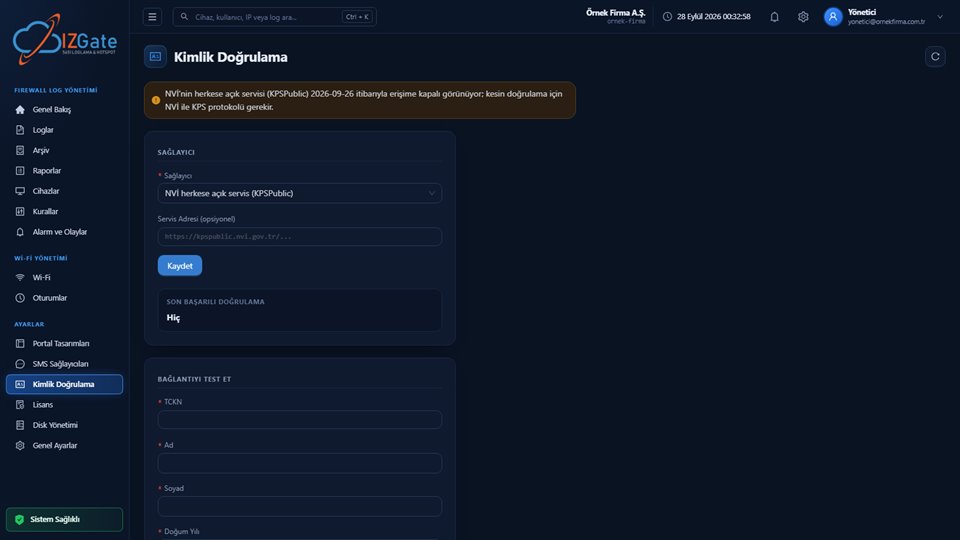
Question: Does a log line only say "this IP went out at this time," or is it matched to the person or device that performed the action? A record that isn't matched to an identity doesn't protect your business when a request arrives — it only shows an IP address. On izgate, every verified person on guest Wi-Fi is assigned a fixed alias code (e.g. mg-4a300c); this code appears in the firewall logs and is resolved to a real person in the panel; on the staff network, RADIUS sessions or the internal IP at that moment are used instead.
2. NAT and port logging
Question: When multiple users share the same public IP, can the record tell them apart? The Regulation explicitly states that the real IP and port assigned to the user in port-shared access is also part of the definition of an access record (see the NAT and port information guide). Without this field, identifying a single user on a network with a crowd sharing the same public IP is usually impossible.
3. MAC verification
Question: Is the MAC address in the record a value the guest declared, or is it read from the firewall's own table? On izgate, the MAC address is always verified from the firewall's own table; MAC-based features (e.g. device registration, the list of registered devices) only activate once this verification can be performed. A declared MAC can be changed easily, which weakens the record's reliability.
4. Signed archive and qualified timestamp
Question: How do you prove archived records haven't been altered afterward? For commercial public use providers, the legislation requires a value confirming the accuracy, integrity, and confidentiality of the records to be logged daily and retained:
"(d) bendi gereğince kaydedilen bilgileri ve bu bilgilerin doğruluğunu, bütünlüğünü ve gizliliğini teyit eden değeri kendi sistemlerine günlük olarak kaydetmek ve bu verileri iki yıl süre ile saklamak,"
"To record daily, on their own systems, the information recorded under subparagraph (d) and a value confirming the accuracy, integrity, and confidentiality of that information, and to retain this data for a period of two years."
Regulation on Internet Public Use Providers, Art. 5/1-e — unofficial translation — mevzuat.gov.tr
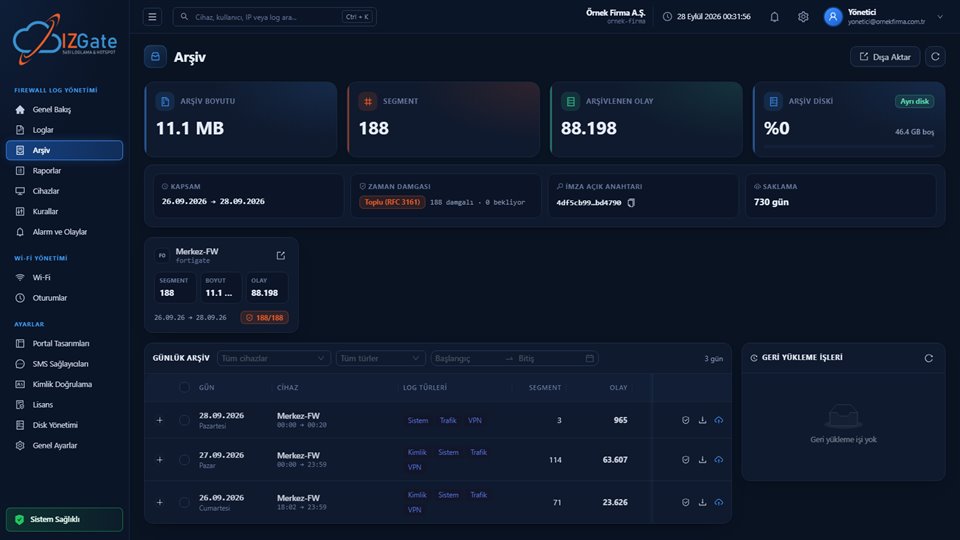
On izgate, archive segments close hourly and are protected with a SHA-256 chain and an Ed25519 signature; a qualified timestamp is obtained once a day from an authorized electronic certificate service provider (Kamu SM), and an automatic integrity check runs every night. For the legal meaning of the timestamp, see the timestamp guide.
5. Two-year retention and a separate disk
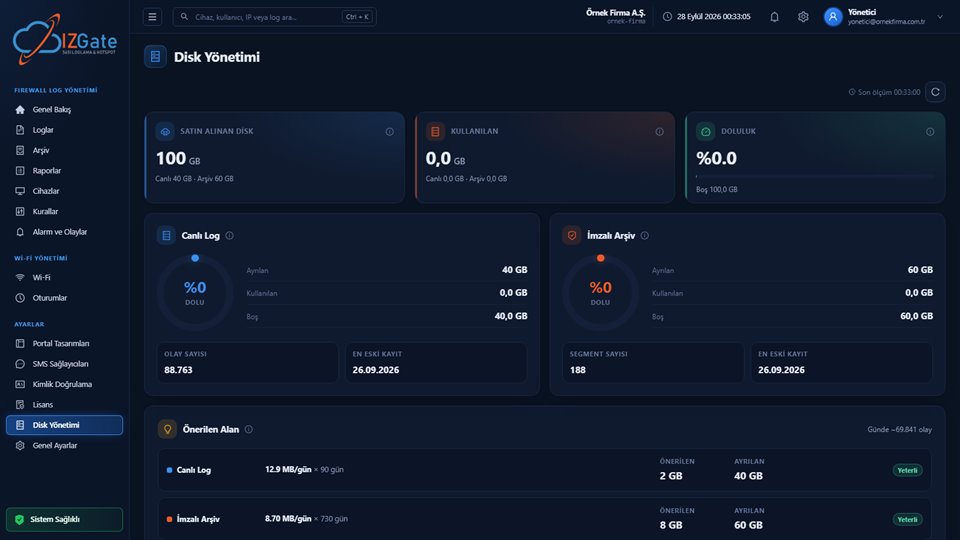
Question: Is retention really two years, and are live logs and the archive kept on the same disk? The Regulation clearly says two years; a shorter period isn't sufficient. Keeping live logs and the signed archive on the same disk also puts both at risk in a single disk failure — izgate's on-premises deployment requires separate disks for /log and /archive, and the installer script enforces this condition.
6. Multi-device and multi-brand support
Question: If your firewall brand changes, or you need to use more than one brand, does the software support it? izgate works with FortiGate, MikroTik, pfSense, and OPNsense; different brands and models of firewall are managed together in the same panel, the same search screen, and the same signed archive. For device registration and verification methods, see the FortiGate, MikroTik, and pfSense/OPNsense guides.
7. Variety of portal and login methods
Question: When your guest profile changes (a hotel guest, a café customer, a factory visitor), does the same software allow a new login method? On izgate, you can combine as many as you need, per network, from among SMS, Turkish ID + NVİ verification, a visitor code, administrator approval, a user account, an institutional service lookup, pre-registration, firewall user, and device registration (MAC).
8. KVKK texts
Question: Does the guest portal already have a KVKK privacy notice and terms of use ready, or do you have to write everything from scratch? The izgate portal carries a default KVKK privacy notice and an Internet Use Service Agreement template; you fill these in with your company information and can edit them independently in Turkish/English. On whether the legal basis comes from the law itself, and whether separate "explicit consent" from the guest is required, see the guest Wi-Fi and KVKK guide.
9. Export for authorities
Question: When a request arrives, can you find the relevant record and export it as a signed, integrity-protected package? izgate's archive page has verify, download, and "signed export" options; this package shows, via the record's SHA-256 chain and Ed25519 signature, that it hasn't been altered. For the steps of the process, see the authority log request guide.
10. Tenant isolation and security
Question: If more than one company/branch uses the same system, is one company's data ever visible to another at all? On izgate, every log and archive is stored tied to the company's membership and service ID; companies cannot see each other's data. A similar principle applies on the device side: a log from an unverified source is never written to any company — the device is verified first, then registered.
Quick checklist
- Is the log matched to a person/device identity, or does it only show an IP?
- Is NAT IP:port logged?
- Is the MAC verified from the firewall's own table?
- Is the archive signed, with a daily qualified timestamp?
- Is retention two years, and are live/archive on separate disks?
- Does it work with more than one firewall brand?
- Does the portal offer more than one login method suited to your sector?
- Are a KVKK privacy notice and agreement template ready?
- Can an authority request be answered with a signed export?
- Is data isolated between multiple companies/branches?
Frequently asked questions
Are all these criteria equally important for every business?
No. At a single-branch café, for example, tenant isolation (criterion 10) may matter less, but matching guest identity to the record (criterion 1) and NAT port logging (criterion 2) stay critical at every scale. At chains with multiple branches or many guests, tenant isolation and multi-device support become a priority.
Isn't it enough if software says "we keep logs"?
No, that's not enough. The Regulation doesn't just require a raw log to exist — it requires the access record to contain specific fields (internal IP, MAC, destination, NAT port, time) and to be retained for two years with its integrity intact. "We keep logs" doesn't guarantee any of these details.
Is keeping logs without a signed archive against the legislation?
The legislation doesn't use the word "timestamp" as a universal requirement; for commercial providers it requires a value confirming the integrity of the records to be logged daily. A signature and timestamp are a strong way to prove this integrity independently; they increase the evidentiary value of the records.
I use a single firewall brand — does multi-device support matter to me?
It may not matter today, but if you change your firewall or open a new branch, brand-independent software doesn't force you to rebuild your data and workflow from scratch.
Can I apply these criteria to products other than izgate too?
Yes, these ten questions are general criteria you can ask when evaluating any 5651 logging solution; on this page we've shown izgate's answer to each criterion as an example.
This page is for information only; for the current text of the legislation, refer to the official source (mevzuat.gov.tr).