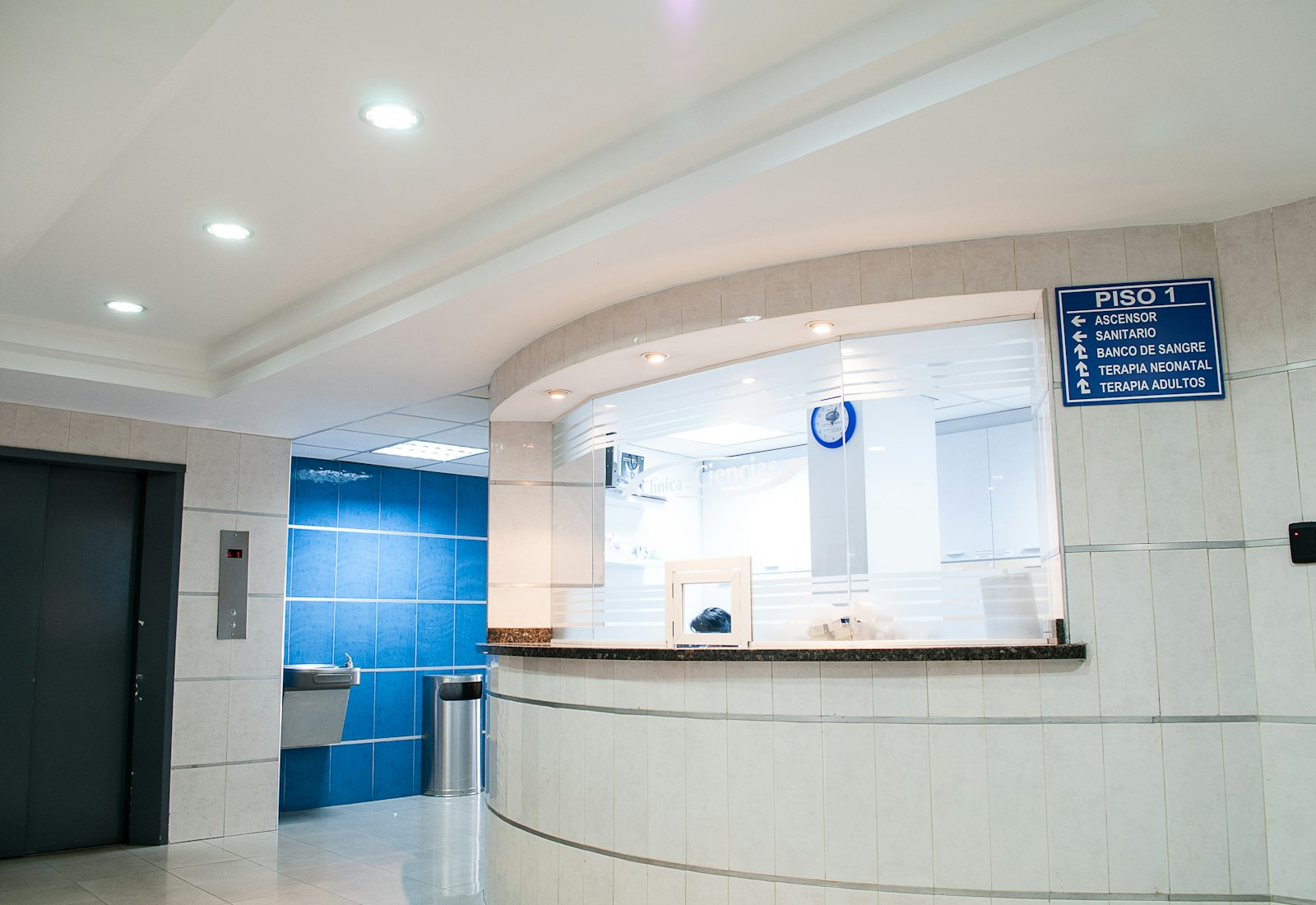
Why is internet access your facility's responsibility?
The internet line of a hospital, clinic, dental clinic, or laboratory is registered in the facility's own name. A connection made from a patient visitor's phone in the waiting room, from a visitor in the corridor outside an outpatient clinic, from the computer in a doctor's consulting room, from a device at the nurses' station, or from the device of a contractor providing cleaning or maintenance services, all leave the building through the same corporate IP address. This holds equally for a single clinic and for a large hospital chain. When an investigation or an authority request arrives, the question lands on the facility first.
What sets healthcare facilities apart from other sectors is that the guest network is open to a crowded and constantly changing population (patient visitors, visitors generally), while the staff network (doctors, nurses, administrative staff) can reach critical systems. Letting the two mix on the same network weakens both the clarity of the records and internal security. Identity-matched access records — who, on which network, which device, at what time, to which destination — show who performed an action and protect your facility; this is not a legal guarantee, but a way of documenting what happened.
In a large hospital, roles are not limited to a single category: a patient visitor staying as a companion on an inpatient ward may remain connected for days, a visitor in an outpatient corridor may open only a single short session, a technician working in a lab or imaging unit uses the corporate network, and a contractor providing building maintenance or cleaning services is also on site at specific hours. Each one's access duration, device count, and network can be bound to different rules.
Legal framework: your healthcare facility as a public use provider
The definition in Law No. 5651 (Turkey's Internet Law) covers everyone who provides the means to use the internet; it draws no distinction between patient, visitor, or staff member:
"Toplu kullanım sağlayıcı: Kişilere belli bir yerde ve belli bir süre internet ortamı kullanım olanağı sağlayanı,"
"Public use provider: A person who provides individuals with the means to use the internet environment at a specific place and for a specific period,"
Law No. 5651, Article 2/1-i — mevzuat.gov.tr — unofficial translation
Keeping access records does not require obtaining separate "explicit consent" from the visitor; the legal basis comes directly from the law. The Turkish Personal Data Protection Law No. 6698 (KVKK) provides that explicit consent is not required for processing that is expressly provided for by law or that is mandatory for the data controller to fulfill its legal obligation:
"a) Kanunlarda açıkça öngörülmesi." / "ç) Veri sorumlusunun hukuki yükümlülüğünü yerine getirebilmesi için zorunlu olması."
"(a) It is expressly provided for by law." / "(ç) It is mandatory for the data controller to fulfill its legal obligation."
Turkish Personal Data Protection Law No. 6698 (KVKK), Article 5/2 — mevzuat.gov.tr — unofficial translation
KVKK's separate information-notice obligation (Article 10) still applies: you must tell anyone joining the guest network who you are, for what purpose the data is processed, and what their rights are; the izgate portal provides a default notice text for this purpose. Patient health data is subject to a separate and stricter legal regime; because izgate does not process health data, it falls outside the scope of that regime. For the detailed legislative texts, see our legislation page, and for the general framework, the Law No. 5651 Guide.
How to respond to a log request from the authorities (e.g., the local civil authority) is a separate topic; you can find the format, time frame, and documentation required in the What to Do When an Authority Requests Logs guide.
An example situation: an incident on the waiting-room guest network
The example below is constructed to illustrate a situation that could commonly arise on a hospital's waiting-room guest network. A similar question could just as well be asked about an action taken from a corporate device on the staff network; the logic is the same, only the relevant network and authentication method change.
The IT department is informed that suspicious traffic was produced from the outpatient waiting-room guest Wi-Fi during a specific time window; dozens of devices were connected to the network at that moment.
Filtering Live Logs by network and time range in the panel turns up the matching NAT IP:port pairing; the alias code (guest login) the session belongs to is visible.
The IT department verifies the relevant segment in the Archive and exports it as a signed package; which session produced the traffic becomes clear without touching the staff network at all.
- Time
- 2026-09-28 14:52:19
- Internal IP / MAC
- 10.60.3.41 / a4:5e:60:11:7c:0d
- User
- mg-9f103c → SMS-verified guest login
- Destination
- 198.51.100.9:443
- NAT (real) IP:port
- 91.93.x.x:40118
- Network
- Waiting Room Guest Wi-Fi
What does izgate do in hospitals and healthcare facilities?
Firewall Log Management and Wi-Fi Management work together: the IT department tracks which network is subject to which rule, reception/security tracks which guest is awaiting approval, and management tracks the archive's integrity — all from the same panel.
- Patient-visitor network fully separate from staffWaiting room, outpatient, and patient-room guest networks have their own portal, authentication, and access rule, independent from the doctor/nurse/administrative-staff network.
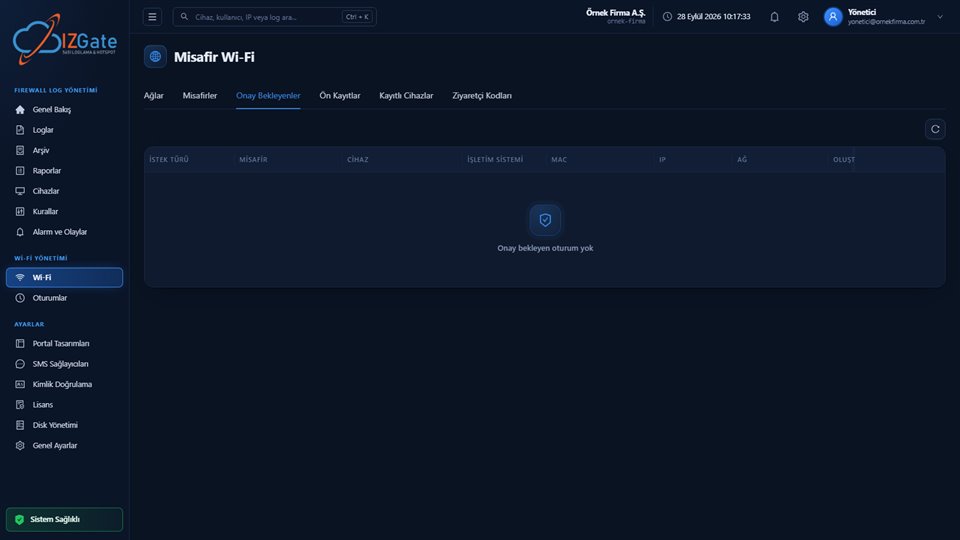
- Login and device registration through an approval workflowWith a role assignable to reception or security staff, guest-login and device-registration requests are approved or rejected with one click from the Pending Approvals screen.
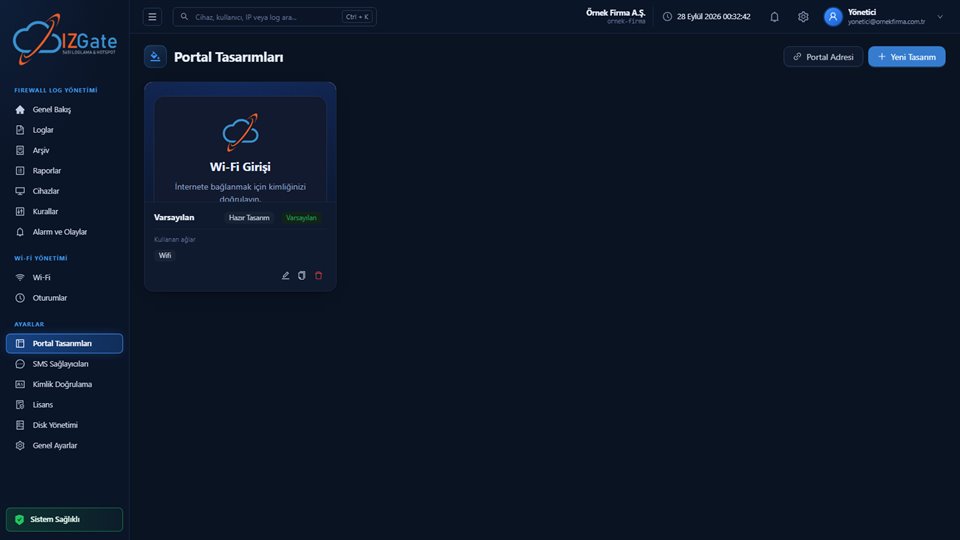
- KVKK privacy notice in the portalThe default KVKK privacy notice and Internet Use Service Agreement template are filled in with your facility's details and shown to the guest in the portal.
- Contractors and temporary staff defined separatelyMaintenance, cleaning, or outsourced service staff are defined through a visitor/voucher code or a manager-approved guest login, kept separate from the permanent staff list.
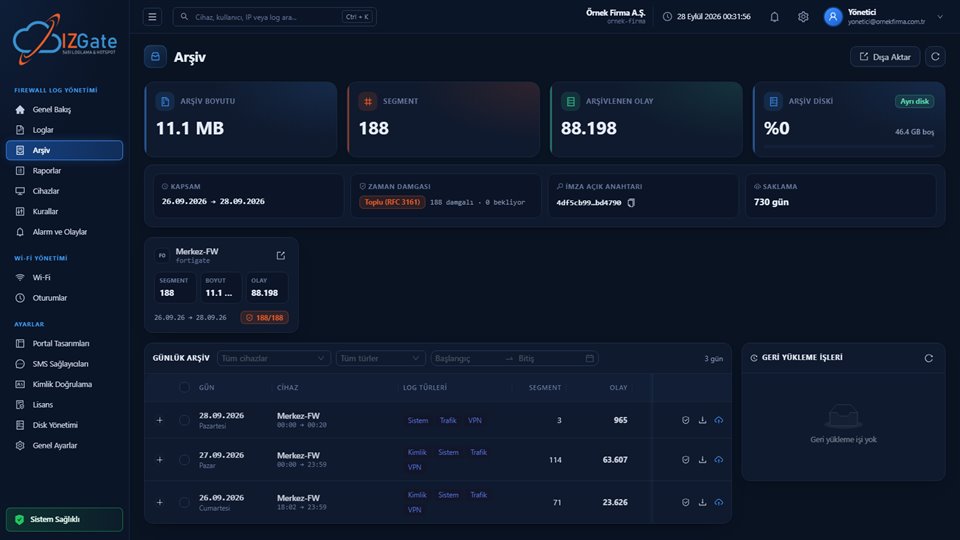
- Signed, timestamped archiveEvery record is written in segments to a disk separate from the live data; protected by a SHA-256 chain, an Ed25519 signature, and a qualified timestamp obtained once a day.
- Instant visibility into sessions, with the ability to drop themSee active guest and staff sessions from the panel, and drop a session from the firewall instantly when needed.
- A portal design made for your facilityLogo, color, and layout are set to match your facility's brand identity; separate portal designs can be defined for the waiting room, outpatient clinic, and patient rooms.
The approval workflow makes your work easier, especially at peak reception hours: when a patient visitor fills out and submits a registration form, the request piles up on the "Pending Approvals" screen, and staff approve or reject it with reason in one click. The same workflow can be used for a device-registration request from a contractor arriving for maintenance or technical service; the device cannot join the network until approval is given. One of the ready-made reports prepared for management can be scheduled to be sent automatically by email to the relevant department at an interval you choose; this way guest-login volume and the number of pending-approval requests are monitored regularly.
How is izgate deployed at your healthcare facility?
Choose a deployment model
Run it in the cloud (panel.izgate.com) or on your own facility's server (on-premises, with logs and archive on separate disks).
Register your firewall
The device is verified and registered using FortiGate REST API, MikroTik (SSH + REST API), pfSense, or OPNsense SSH access credentials; if you have more than one building, each one's device is added from the same panel.
Set up networks, the portal, and the approval role
Define patient-visitor, staff, and contractor networks separately; add the KVKK privacy notice to the portal design, define an approval role for reception/security, and set the per-person device/session limit.
Law 5651 compliance checklist for healthcare facilities
The items below help confirm both your regulatory compliance and that your guest, staff, and contractor networks are not mixing; review each item against your own facility's layout:
- Is the patient-visitor/visitor network fully separate from the staff network?
- Are access records configured to be retained for two years?
- Is an up-to-date KVKK privacy notice shown in the portal?
- Is an approval workflow defined for guest-login and device-registration requests?
- Are contractors and temporary staff defined through a method (code/approval) separate from permanent staff?
- Are archive segments regularly verified for integrity?
- If you have more than one building/campus, are all locations monitored from a single panel?
Frequently asked questions
Does izgate process patients' health data?
No. izgate does not process any health data; it only keeps internet access records (internal IP, MAC, destination, NAT IP/port, time, and the identity-verified user). The KVKK privacy notice shown in the portal is limited to that same scope.
Is the patient-visitor network separate from the network hospital staff use?
Yes, it must be, and it is defined separately in izgate. Each network has its own portal address, authentication method, and access rule; a session on the patient-visitor network never affects the staff network in any way.
Do guest logins go through an approval step?
That is up to you. You can route login and device-registration requests through an approval workflow assigned to reception or security staff, then approve or reject them with one click from the Pending Approvals screen.
Do contractors and outsourced service staff need a separate definition?
It's recommended. Temporary users such as contractor staff or cleaning and maintenance crews can be defined through a visitor/voucher code or a manager-approved guest login; keeping them separate from permanent staff keeps access records clear.
Is the KVKK privacy notice shown automatically in the portal?
The izgate portal carries a default KVKK privacy notice and Internet Use Service Agreement template; these are filled in with your hospital's details and shown at guest login.
How do we prove an access record hasn't been altered?
Archive segments are protected by a SHA-256 chain and an Ed25519 signature, and receive a qualified timestamp once a day; the Verify action confirms with one click that a segment hasn't changed since the moment it was produced.
If we have more than one building or campus, do we manage it from a single panel?
Yes. You can define the firewall devices in your main hospital building, an additional outpatient building, or a laboratory at a different campus from a single panel, choose a separate network and portal design for each, and search all records from the same screen.
This page is for information only; for the current text of the legislation, refer to the official source (mevzuat.gov.tr).