Why is internet access your institution's responsibility?
The free Wi-Fi a municipality offers in a square, park, library, or public building is broadcast from that institution's own line. The moment a citizen sits in the park and connects on their phone, and the moment the institution's own staff connect from the office, both exit to the outside world from the same IP address. This doesn't change just because the Wi-Fi is free: the line is registered in the institution's name, and when an action taken from that line is investigated, the question lands on the institution first.
Publicly accessible areas carry a particular challenge: the user base is not a registered customer or employee, but a citizen population whose identity is not known in advance and that can run to thousands of people a day. For this reason, the legislation imposes a specific identification-system obligation on providers in publicly accessible areas; you can see that obligation in detail below. Identity-matched access records show who performed an action and protect your institution; this is not a legal guarantee, but a way of documenting what happened.
Your institution's locations also differ from one another: thousands of people a day may connect briefly to Wi-Fi in a square, while a user in a library may sit and work for hours; free Wi-Fi at the entrance of a public building may be used both by citizens and by someone visiting the institution. Defining a separate office network for the institution's own staff, in turn, keeps staff traffic from mixing with the network open to citizens.
Legal framework: SMS identity verification in publicly accessible areas
The Regulation on Internet Public Use Providers (2017) places an explicit identification obligation on all public use providers offering internet access in publicly accessible areas (regardless of whether they are commercial):
"Kamuya açık alanlarda internet erişimi sağlayan toplu kullanım sağlayıcılar, kısa mesaj servisi (sms) ve benzeri yöntemlerle kullanıcıları tanımlayacak sistemleri kurmak."
"Public use providers offering internet access in publicly accessible areas shall establish systems that identify users through short message service (SMS) or similar methods."
Regulation on Internet Public Use Providers (2017), Article 4/1-c — mevzuat.gov.tr — unofficial translation
The same Regulation also establishes, as a general obligation for all public use providers, that access records be kept electronically and retained for two years:
"Erişim kayıtlarını elektronik ortamda kendi sistemlerine kaydetmek ve iki yıl süre ile saklamak."
"To record access logs electronically on their own systems and retain them for a period of two years."
Regulation on Internet Public Use Providers (2017), Article 4/1-b — mevzuat.gov.tr — unofficial translation
Both of these provisions apply to all public use providers regardless of whether they are "commercial"; your free municipal Wi-Fi falls within that scope. By contrast, provisions such as the operating permit, fixed IP, and administrative fines apply specifically to "commercial" internet public use providers (internet cafes and similar places that sell internet for a fee) and do not concern your municipality. For the detailed legislative texts, see our legislation page, and for the general framework, the Law No. 5651 Guide.
SMS verification on its own satisfies the identification obligation required by Article 4/1-c; login with a Turkish ID number (TC Kimlik No) and NVİ verification are an optional extra safeguard that can be added on top, not a requirement. You can compare which method suits your institution in the Guest Verification: SMS, ID Number, or Visitor Code? guide.
An example situation: a request spanning multiple locations
The example below is constructed to illustrate the kind of situation a municipality managing more than one location might encounter; the same logic applies to a smaller institution running a single square or a single library.
The IT department is asked whether, during the previous week, access to a specific address occurred from the Central Park Wi-Fi at a specific time; the municipality has free Wi-Fi at 12 different locations.
From a single panel, filtering Live Logs by the "Central Park" network and time range turns up the matching record; the row shows the SMS-verified alias code, internal IP, MAC, and NAT IP:port.
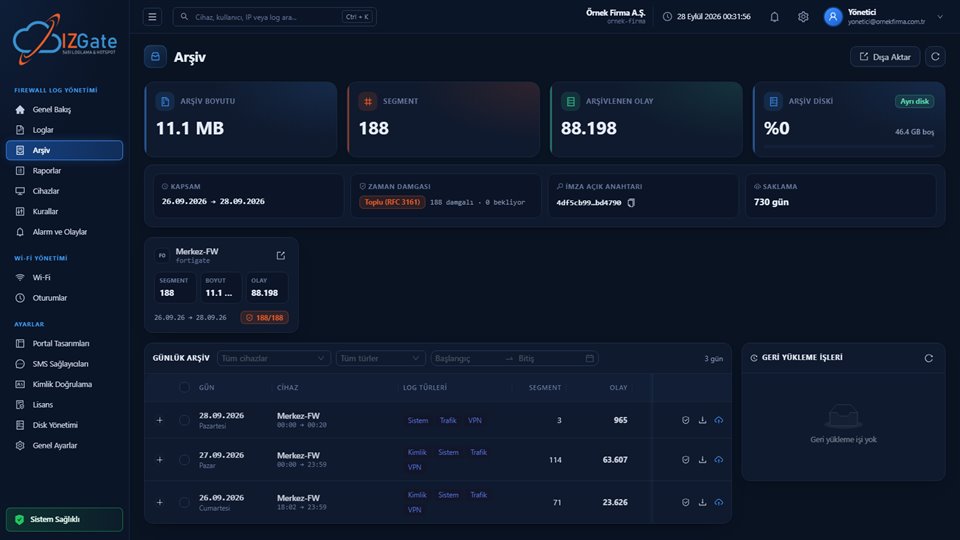
The department verifies the relevant archive segment and exports it as a signed package; the request is answered from a single panel without visiting any of the 12 locations one by one.
- Time
- 2026-09-30 19:03:41
- Internal IP / MAC
- 10.80.2.17 / 3c:a1:0e:55:9b:42
- User
- sm-2d884a → SMS-verified user
- Destination
- 192.0.2.77:443
- NAT (real) IP:port
- 78.186.x.x:62441
- Location
- Central Park Free Wi-Fi
The same logic applies to free Wi-Fi offered outside a municipality's square — in a public institution's waiting area, a government office's lobby, or a public-transport stop: whichever institution it is, the access record sits in that institution's panel, identity-matched.
What does izgate do for municipalities and public institutions?
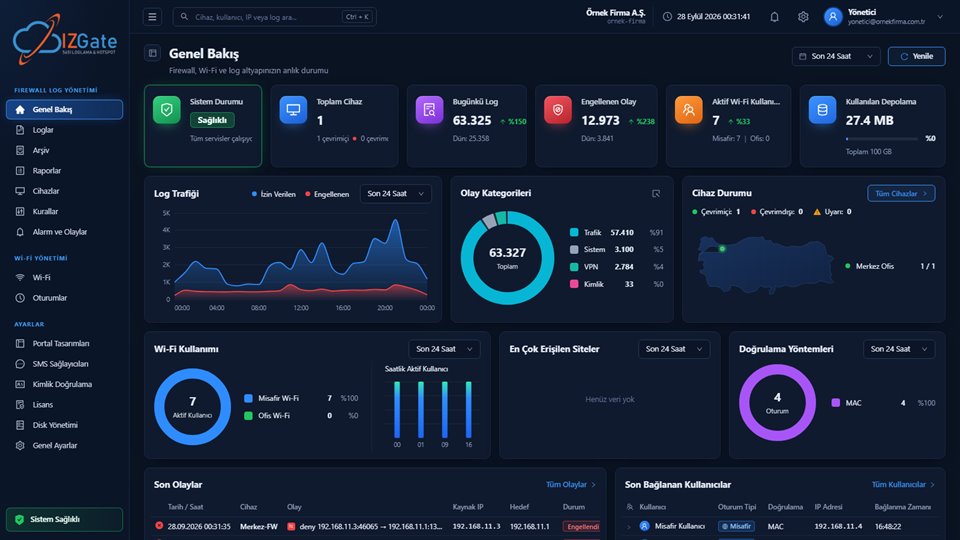
Firewall Log Management and Wi-Fi Management scale with the same logic from a single square to dozens of locations: the IT department tracks, from a single panel, which location is subject to which rule, how many people are connected, and the archive's integrity.
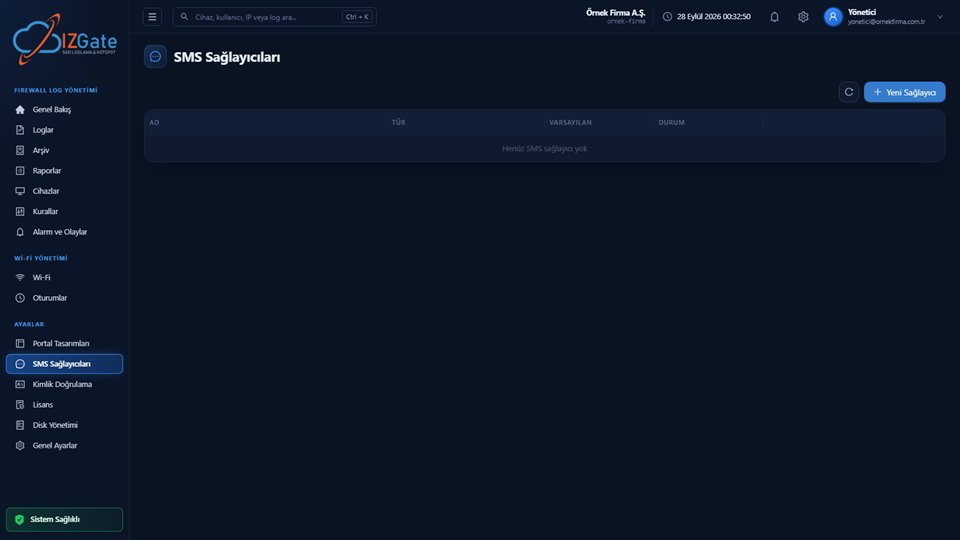
- SMS authenticationSMS-coded login that satisfies the publicly-accessible-area obligation, through your own SMS provider or the IzGate SMS service (prepaid credits).
- Optional Turkish ID + NVİ verificationIf you want, you can turn on login with a Turkish ID number and NVİ (KPS) identity verification as an additional method alongside SMS.
- Daily connection limitA per-person daily connection limit and session duration are set from the network settings; if exceeded, reconnection is deferred to the next day.
- Multi-location, single panelAll firewall devices and Wi-Fi networks in squares, parks, libraries, and public buildings are defined and monitored from a single panel.
- One Kamu SM timestamp per dayArchive segments close hourly, are signed with a SHA-256 chain and Ed25519, and are backed once a day by a qualified timestamp from Kamu SM (TÜBİTAK's public certification authority) (credits included in the service).
- Two-year retentionLive and archive retention periods are set in parallel and independently; two years is the default/recommended period for Law 5651, and records are never deleted even if the disk fills up — a warning is raised instead.
- Institution staff network kept separateThe office network used by municipal/institution staff is defined as a network completely separate from the free Wi-Fi open to citizens; it has its own authentication method and access rule.
You don't need to manage each location one by one: the Devices screen shows the status of all firewalls, and Overview shows the live usage of all networks, from a single place. When a device at a location goes offline, the alert that lands on Alerts and Events can also be sent to the relevant department by email, Telegram, or webhook; this way you notice an outage in a park or a library without having to go there.
How is izgate deployed at your institution?
Choose a deployment model
Run it in the cloud (panel.izgate.com) or on your own institution's server (on-premises, with logs and archive on separate disks).
Register each location's device
FortiGate, MikroTik, pfSense, or OPNsense devices at squares, parks, and libraries are added from a single panel, each verified with its own access credentials; the same step is repeated when a new location opens.
Set up SMS authentication and network rules
Define your SMS provider (your own company or IzGate SMS), set the daily connection limit and session duration for each location, and open a separate office network for institution staff.
Law 5651 compliance checklist for municipalities and public institutions
If you manage a multi-location setup, it's useful to review the items below for each location one by one; if you run a single square or library, the same list is still worth reviewing at your own scale:
- Does every publicly accessible location have an SMS or similar identification system set up?
- Are access records configured to be kept electronically and retained for two years?
- Are all locations monitored from a single panel, or are they scattered?
- Is a daily connection limit and session duration defined?
- Do archive segments receive a qualified timestamp once a day?
- Is the institution staff network separate from the free Wi-Fi open to citizens?
Frequently asked questions
Does a municipality that offers free Wi-Fi also have to keep access records?
Yes. Law No. 5651's definition of a public use provider does not look at whether a fee is charged; anyone providing the means to use the internet is obliged to keep access records.
Is SMS verification mandatory in publicly accessible areas?
Yes, the Regulation requires public use providers offering internet access in publicly accessible areas to establish systems that identify users through short message service (SMS) or similar methods.
Does our municipality need an operating permit, or face an administrative fine?
No. The operating-permit and administrative-fine provisions in the law apply only to "commercial" internet public use providers (internet cafes and similar places that sell internet for a fee); free municipal Wi-Fi is outside that scope.
Do we manage multiple squares, parks, and libraries from a single panel?
Yes. You can define the firewall device and Wi-Fi network at each location from a single panel, choose a separate portal and authentication method for each, and search all locations' records from the same screen.
Is login with a Turkish ID number and an NVİ identity check mandatory?
No, it's optional. SMS verification on its own satisfies the Regulation's obligation for publicly accessible areas; login with a Turkish ID number (TC Kimlik No) and an optional NVİ identity check are offered as an additional authentication method.
How long are records kept?
The retention period is your own setting; the Regulation's general access-record obligation is two years, and izgate's default/recommended period for Law 5651 is also two years. Live and archive retention periods are configured in parallel and independently.
Should the staff network be the same as the network open to citizens?
No, it should be separate. The office network staff use is defined as a network completely separate from the free Wi-Fi in a square/park/library; it has its own authentication method and access rule and never mixes with citizen traffic.
This page is for information only; for the current text of the legislation, refer to the official source (mevzuat.gov.tr).