Why is the internet at a school, course center, or dormitory the institution's responsibility?
The internet line of a school, a tutoring center, a university campus, or a student dormitory is registered in the institution's name. Every connection made over that line — from a student's tablet between classes, a teacher's laptop in the staff room, administrative staff's desktop computer, or the phone of a parent visiting the school — looks, from the outside, like it comes from the same institutional IP address. When an inquiry or a request from a competent authority arrives, the first question is directed at the institution: "Who connected to this address at this time?"
Being able to answer this question instantly and correctly depends on having an access record that shows who made the connection at that moment. In an environment where different roles — student, teacher, administrative staff, and parent/visitor — mix together, it isn't possible to say "it wasn't from our line" without knowing whom the record belongs to; without a record, the person who performed the action can't be identified, and the question of responsibility stays with the institution. Identity-matched access records — who, which device, which internal IP, what time, which destination, which NAT port — show who performed the action and protect the institution.
This matters even more in settings like dormitories, where internet use runs around the clock and students connect with their own devices: hundreds of devices may use the same Wi-Fi network at the same time, used by different people. Campus or dormitory management needs to be able to see which room/student is connected with which device, and to trace a record back to the right person when necessary.
The parent and visitor role has its own character too: on parent-teacher conference day, an open house, or a family member visiting a student, someone needs brief access to the school network. This use doesn't require a permanent account; it can be met with a visitor code, SMS verification, or an administrator-approved guest login, and stays completely separate from the student/staff networks. Tutoring and course centers face a similar situation: the enrolled-student list changes term by term, and a deregistered student's access needs to be closed just as quickly.
Legal framework: your school as a public use provider
Law No. 5651 treats anyone who provides the means to use the internet as a "public use provider," and this definition makes no distinction between customer, student, or employee:
"Toplu kullanım sağlayıcı: Kişilere belli bir yerde ve belli bir süre internet ortamı kullanım olanağı sağlayanı,"
"Public use provider: a person who provides individuals with the means to use the internet at a specific place for a specific period of time,"
Law No. 5651, Article 2/1-i — unofficial translation — mevzuat.gov.tr
Schools, tutoring centers, universities, and dormitories all fall within this definition. The Regulation on Internet Public Use Providers imposes on everyone within this scope the obligation to keep access records and retain them for two years:
"Erişim kayıtlarını elektronik ortamda kendi sistemlerine kaydetmek ve iki yıl süre ile saklamak."
"To record access records electronically in their own systems and retain them for a period of two years."
Regulation on Internet Public Use Providers (2017), Article 4/1-b — unofficial translation — mevzuat.gov.tr
This does not mean your school is a "commercial-purpose" internet public use provider (the category covering internet cafes and similar places that sell internet access for a fee); the operating-permit and administrative-fine provisions specific to that category do not apply to schools. What applies to your school is the general access-record and retention obligation placed on all public use providers. For the detailed legislative texts, see our legislation page; for a comprehensive explanation, see the Law No. 5651 Guide.
Showing a KVKK privacy notice on your parent/visitor network's portal is also a separate obligation: you need to tell anyone joining the guest network who you are, for what purpose their data is processed, and what their rights are. izgate's portal template fills in this notice and the Internet Use Service Agreement with your institution's details and displays them by default; you can read more on this topic in the Guest Wi-Fi and KVKK guide.
An example situation: a log request from a competent authority
The example below is constructed to show, through izgate's record-keeping logic, the kind of situation a dormitory administration often encounters.
The dormitory administration is asked whether there was access from the dormitory network to a certain address during a specific time window the previous week. The administration doesn't know which student was connected with which device at that time.
In Panel > Live Logs, the record filtered by date/time and destination address shows the internal IP, MAC, NAT IP:port, and which alias code (and therefore which student) the session belongs to.
The administration exports the record and the relevant archive segment as a signed package and responds fully to the competent authority's request; who the transaction belongs to rests on a record, not a guess.
- Time
- 2026-10-02 21:14:07
- Internal IP / MAC
- 10.40.6.23 / 8c:4f:00:3a:1e:92
- User
- og-7b21f4 → Dormitory Block B, resident of room 214
- Destination
- 203.0.113.44:443
- NAT (real) IP:port
- 88.248.x.x:51342
- Device
- Registered personal laptop
What does izgate do at schools, course centers, and dormitories?
The Firewall Log Management and Wi-Fi Management columns work together according to the different roles found in an educational institution. On one side, the institution's administration keeps the student/resident list and staff directory up to date; on the other, it monitors from a single panel which network is subject to which rule, which devices are registered, and whether the archive's integrity holds:
- Student list transferred via APIThe student/resident list is predefined via an API from the school's or dormitory's student information system; no re-registration is needed at each login.
- Teacher and staff accounts synced via AD/LDAPIf the institution has an Active Directory or LDAP directory, teacher and administrative-staff accounts are synced from it; a local Wi-Fi account can also be defined additionally.
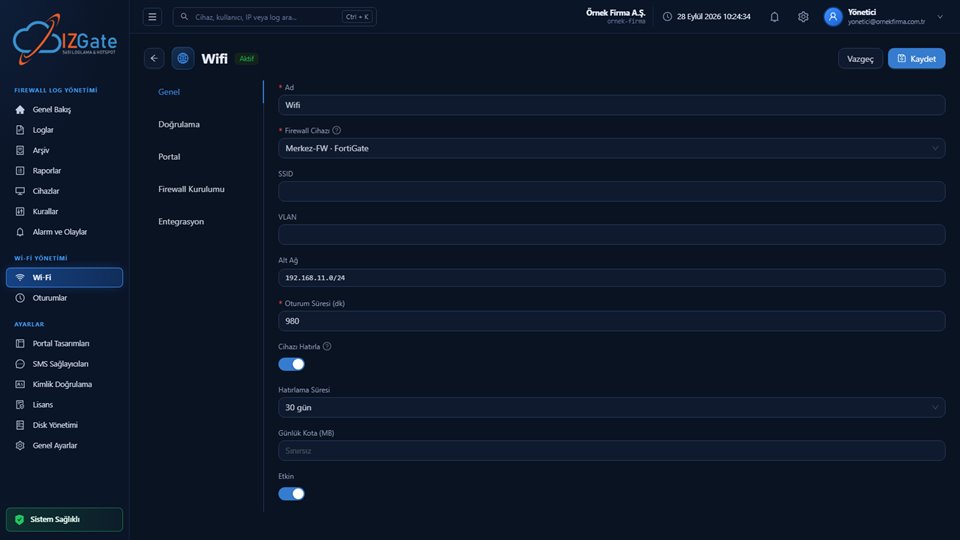
- Student, staff, and parent networks are separateEach network has its own portal address, authentication method, session duration, and access rules; the parent/visitor network is completely independent of the others.
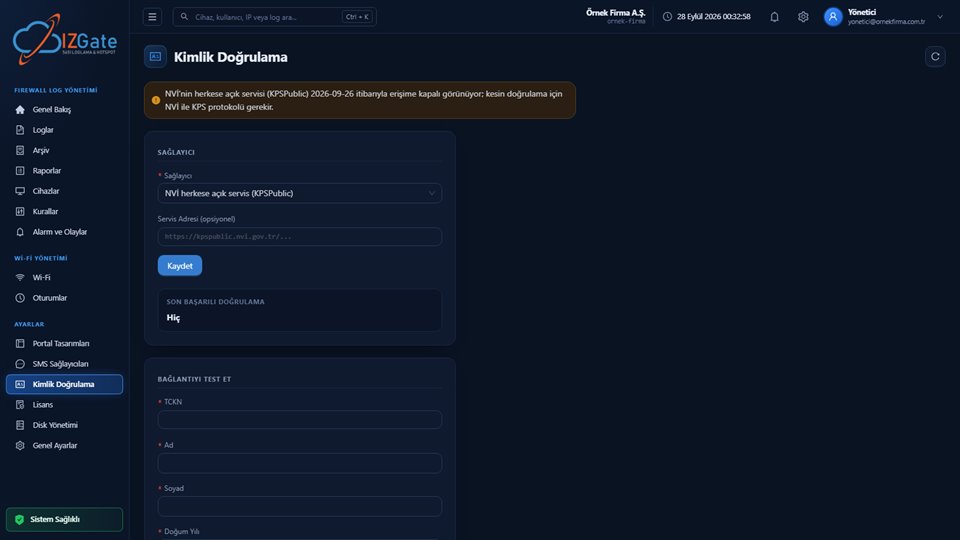
- Turkish ID and optional NVİ verificationFor staff, parent, or visitor logins, login via Turkish ID number and optional NVİ verification can be enabled; this isn't mandatory, it's an option.
- Per-person device limitYou decide how many devices a student or staff member can connect with at the same time; once the limit is reached, a new device can't connect.
- Signed, timestamped archiveAll records are written to a separate disk from the live data, in hourly-closed segments chained together by a SHA-256 chain; the segments are signed with Ed25519.
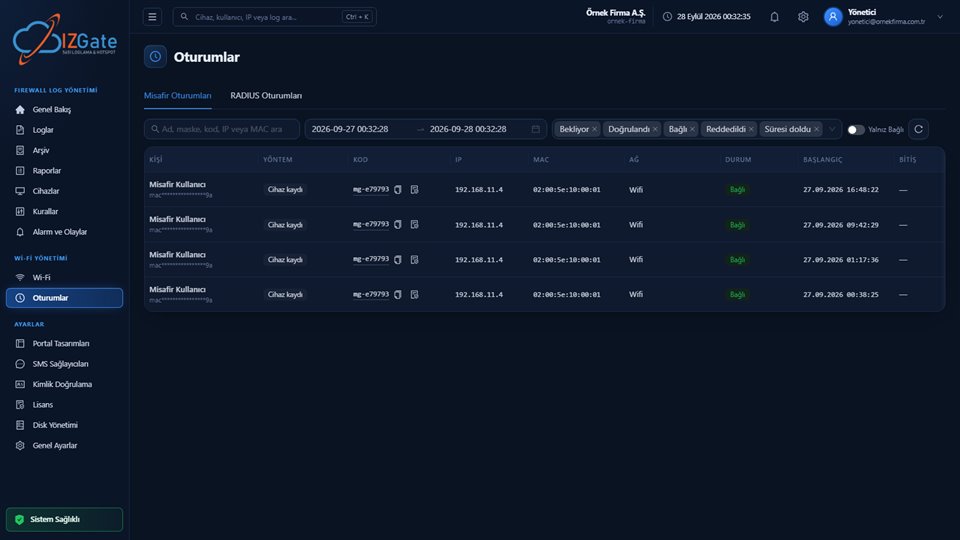
- Instant view of active sessionsSee which student/staff member is currently connected to the network and under which alias code from the Sessions screen, and drop a session from the firewall instantly if needed.
Content filtering is done not by izgate but by your firewall device's own web filter; izgate collects the allow/block records that filter produces, matches them to the user, and reports on them. In other words, the answer to "which student tried to access which category at what time, and were they blocked" appears in the panel — the blocking rule itself is defined on the firewall. One of the 17 ready-made reports for administration can be scheduled to be sent automatically by email to the school principal or dormitory director at a period you choose.
How is izgate set up at your school?
Choose a deployment model
Run it in the cloud (panel.izgate.com, no setup required) or on your own institution's server (on-premises, logs and archive on separate disks).
Define your firewall device
You enter the FortiGate REST API, MikroTik (RouterOS 7, SSH + REST API), pfSense, or OPNsense SSH access details; after the device's serial number is read, it's saved as verified.
Set up networks and portals
Define the student, teacher/staff, and parent networks separately, choose an authentication method and portal design for each, and match the student-list API or the AD/LDAP connection.
Devices that can't pass the captive portal, such as printers, card readers, or smart boards, appear in the panel as "Unrecognized Devices"; once registered with a single click, a portal exemption is defined automatically on the firewall. When the student or enrollee list is updated at the start of a term, the API sync reflects the change automatically; the access of graduates or those who have left is updated along with the list, without needing to be closed manually.
Law 5651 compliance checklist for schools
Reviewing the items below at your institution strengthens both your legal compliance and your ability to respond quickly in a possible inquiry:
- Are the student, teacher/staff, and parent/visitor networks separated from one another?
- Are access records (internal IP, MAC, destination, NAT IP/port, time) kept electronically and retained for two years?
- Is the firewall's web filter (content filtering) active and up to date?
- Is the student/resident list kept up to date, and is access closed for graduates or those who have left?
- Is a per-person device limit defined, preventing unlimited, unmonitored device accumulation?
- Are archive segments regularly checked for integrity?
- Does the parent/visitor network's portal display a KVKK privacy notice?
Frequently asked questions
Is content filtering on school Wi-Fi done by izgate?
No. Content filtering is done by your firewall device's (e.g., FortiGate, MikroTik, pfSense, OPNsense) web filter. izgate collects the allow/block records that filter produces, matches them to the user, and reports on them; it is not the filtering engine itself.
Do we have to re-enter the student list by hand every term?
No. The student or resident list can be transferred in advance through the school's or dormitory's own student information system API; staff and teacher accounts can be synced via Active Directory or LDAP.
Are students required to provide their Turkish ID number?
No, it isn't required; it's an option. Login with a Turkish ID number and optional NVİ verification can be enabled, but methods such as student-list API matching or a visitor/voucher code can also be used.
How many devices can a student connect with at the same time?
You decide. The number of devices a person can connect with at the same time can be limited from the network settings; when a device beyond the limit tries to connect, the administrator is notified.
Do the student network and the teacher/administration network run on the same structure?
No, they're kept separate. Each network has its own portal, authentication method, and access rules; you can define the student, teacher/staff, and parent/visitor networks independently of one another.
Is it also suitable for course centers and universities?
Yes. Course and tutoring centers, university campuses, and student dormitories also provide the means to use the internet, so they're subject to the same access-record obligation; izgate works the same way across all of these institutions.
This page is for information only; for the current text of the legislation, refer to the official source (mevzuat.gov.tr).