When guests and staff share the same network, two problems arise at once: it becomes hard to tell who a connection belongs to (accountability), and guest devices become able to reach the internal resources staff use (security). Physically separating the networks with VLAN/SSID, and keeping the guest portal and staff RADIUS records independent of each other in izgate, solves both problems together.
Why separate: accountability and security
For accountability, if you want to know who every connection on a network belongs to, you first need to separate who connects to that network and for what purpose. If guests and staff are on the same network, a customer's phone and an employee's laptop sit in the same IP range; during an investigation or an outage, telling the two apart requires combing through records one by one. For security, guest devices can reach internal resources on the same network — a printer, a file share, or a management interface; this doesn't even require the guest to be malicious, it's enough for the network simply to be open.
The risk of a mixed network: an example
At a small business, a guest and the till computer are on the same Wi-Fi; there is only one SSID.
When an inquiry comes in, it's impossible to tell from the IP list which of the 12 devices currently on the network are staff and which are guests; it also turns out guest devices can technically reach a folder shared by the staff computer.
The guest SSID is moved to its own VLAN, staff stay on their own network via RADIUS; now the two networks are independent both in terms of records and access.
How VLAN and SSID separation is set up
An SSID is the name of the Wi-Fi network a user connects to; a VLAN is the layer at which network devices (switch, access point, firewall) logically separate traffic. In a typical setup, the guest SSID connects to one VLAN, and the staff SSID (or the wired office network) connects to another; the firewall defines a rule between these two VLANs that blocks the path from the guest side to the staff network. This separation can be set up with the standard features of devices such as FortiGate, MikroTik, pfSense, and OPNsense; izgate adds the identity-verification and record-keeping layer for both sides on top of this network configuration.
The security side: why access must be separated too
Separating records alone is not enough — whether the two networks can reach each other also matters. VLAN separation only logically separates traffic; unless a firewall rule is defined that blocks the path from the guest network to the staff network, two networks running on the same hardware can still see each other. This is why, when setting up VLAN separation, you also need to add a firewall rule that denies traffic from the guest VLAN to the staff VLAN (and in the reverse direction).
If this second step is skipped, the resulting risk is concrete: any device connecting to the guest network can find a printer, a shared folder, or a camera's management interface on the same switch — this doesn't even require the guest to have bad intentions; often a simple network-scanning app is enough. Record separation answers the question "who connected"; access separation answers "where could they reach." Together, they form a complete solution.
The guest network in izgate
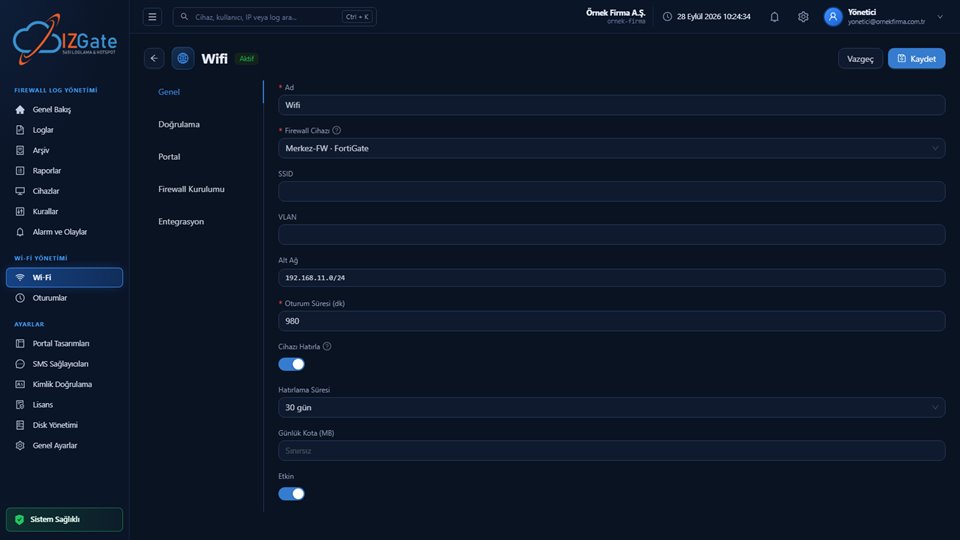
The guest network runs on a captive portal and the verification method(s) you choose (SMS, ID number, visitor code, administrator approval, pre-registration, registered device, and more). Each network has its own portal address, session duration, quota, and network access password. Once a connection is verified by identity, a temporary user is opened on the firewall under a fixed alias code for that person; this flow never intersects with the staff network's login screens described below.
The staff network in izgate
For the staff network, izgate offers a path entirely separate from the guest verification methods: you can use your company's own RADIUS server, or your Active Directory/LDAP identity list, as the verification method. In this flow, staff never see the SMS/ID-number/visitor-code login screen guests see; they are authorized directly with their own corporate identity. Likewise, a guest cannot enter the staff network with a visitor code — the two flows are separate at the method level.
In practice, this means you connect an identity system your organization already manages (your company's AD server, your existing RADIUS infrastructure) to izgate without rebuilding it; when your headcount changes or someone leaves, you manage authorization from your own identity system.
Separate records: the Sessions page
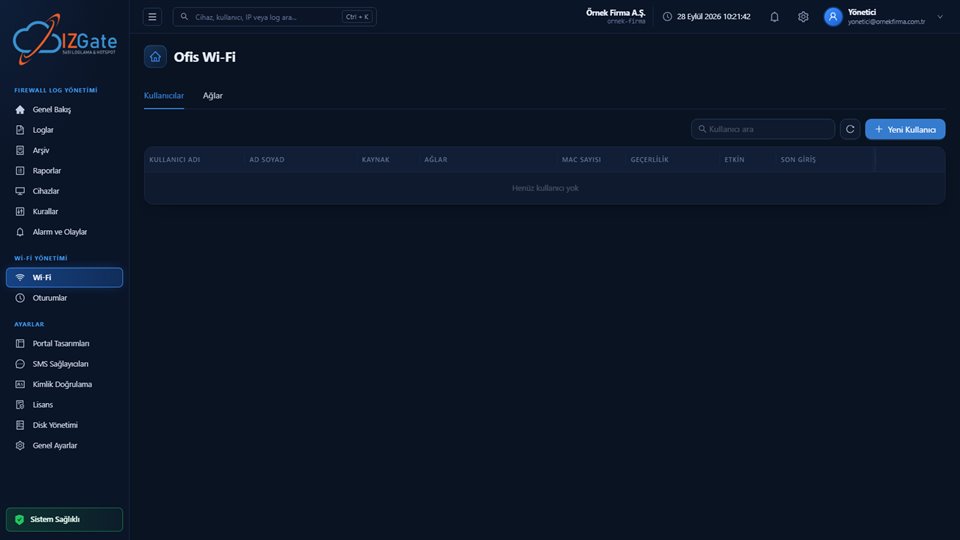
The Sessions page lists the guest and staff sessions currently connected to your network separately; you can terminate a session instantly from the panel when needed (dropping it from the firewall) and reset daily access rights. This separation lets you answer, at a glance from the panel, the question "is this connection a guest or staff" during an investigation; the two sides' records never mix.
Example: a coworking space
A coworking space has both day-pass visitors and employees of permanent member companies at the same time. Visitors are verified on the guest network with a visitor code or SMS; employees of member companies are verified on a separate network with their own company's identity system (RADIUS or AD/LDAP). In the event of a complaint or an outage, which company's employee or which visitor was on the network is visible instantly from the Sessions page.
The same logic applies at a factory site: production-line staff connect to the office network with their own AD account, while a visitor from a supplier company connects to the guest network with a visitor code generated at the front desk. Both connections can be active at the same time, but their records and access rights never mix.
Checklist
- Are separate SSIDs/VLANs defined for guests and staff?
- Is there a firewall rule blocking the path from the guest network to the staff network?
- Do staff connect via RADIUS/AD/LDAP, or with a shared password?
- Can you view guest and staff sessions separately from the panel?
- Are both networks' records stored in the signed archive?
- Have you re-tested access after a network change (a new VLAN, a new rule)?
- Is a newly opened branch or location set up with the same separation rule?
Frequently asked questions
What goes wrong if guests and staff use the same Wi-Fi?
When guest and staff traffic mix on the same network, it becomes hard to tell who a connection belongs to; guest devices being able to reach the internal resources staff use also creates a security risk. A separate network (VLAN/SSID) keeps both the records and the access independent of each other.
Are VLAN separation and SSID separation the same thing?
No, but they work together. An SSID is the name of the Wi-Fi network a user connects to; a VLAN is the layer at which network devices logically separate traffic. A typical setup connects the guest SSID to one VLAN and the staff SSID to another.
How does izgate manage the guest and staff networks separately?
The guest network runs on a captive portal and the verification method you choose (SMS, ID number, visitor code, etc.). For the staff network, your company's own RADIUS server or Active Directory/LDAP identity list can be used as the verification method; staff are authorized directly with their own corporate identity. Active guest and staff sessions are displayed separately on the Sessions page.
I'm a small business — isn't a single network enough?
The number of networks you need is about who's connecting, not the size of your business. Even in a small café, keeping a guest's device and the till's computer on the same network makes it hard to tell them apart during an investigation; setting up a separate network is a technically simple step.
Which identity-verification methods can be used on the staff network?
For staff connections, your company's own RADIUS server, Active Directory/LDAP identity list, or a user account defined in izgate can be selected as the verification method. These methods are entirely independent of the SMS/ID-number/visitor-code screens guests see.
Can I separate guest and staff networks across different firewall brands too?
Yes. VLAN/SSID separation can be set up with the standard features of devices such as FortiGate, MikroTik, pfSense, and OPNsense; regardless of which brand you use, izgate takes on the identity-verification and record-keeping layer for both networks.
This page is for information only; for the current text of the legislation, refer to the official source (mevzuat.gov.tr).
Related guides
What Is a Hotspot and Captive Portal, and How Do They Work?
The guest network's verification and authorization flow.
PracticeHow Printers, Robots, and IoT Devices Get Past the Portal
Managing devices that can't pass the portal, even on separate networks.
PracticeEmployee Internet Use: Who Is Responsible?
Why it matters for the staff network to be identity-matched.