Why internet access in a shared space is the business's responsibility
A coworking space or business center brings together dozens of people from different companies at the same physical address, under the same internet line. Permanent members hold a fixed desk or office with a monthly or annual membership and spend most of the day there. Day or weekly users come for a short-term need, usually connecting with a one-time login. A member who books a meeting room invites their own customer or business partner as a guest; these guests want to access the network without the member themselves being present. The business's own reception and operations staff also use the same line, for a different purpose.
For all of these users, there is a single address visible to the outside world: the internet line registered in the business center's name. When an action taken by a member or their guest is investigated, the question lands on the business first — because the visible identity belongs to the place, not the person. In an environment with a high membership turnover rate, frequently changing day users, and guests invited by members, there's no way to answer "who was connected at that moment" without a record.
An identity-matched access record resolves this complexity: which member account, which guest, or which day user accessed what, from which device, and at what time, can each be seen separately. This lets the business clarify an incident on its own shared premises.
Membership turnover is fast in coworking spaces: a company may grow and leave after a few months, and a freelancer may rent a desk for just the duration of a single project. This turnover rate means a retrospective question ("which member was at that desk three months ago") is a frequently asked one. Keeping membership records and access logs stored in a way that links them together allows such questions to be answered even after a membership has ended.
Shared hot-desking is also common in these spaces: the same desk may be used by more than one member at different times during the day. What matters is not who the desk belongs to, but who is logged in at that moment; that's why the access record needs to be tied to the logged-in user, not to the desk or an IP address. In izgate, every session is matched to the user who logged in, regardless of which physical desk or device it came from.
The business's own reception and operations staff also use this network for a different purpose: opening a membership record, booking a meeting room, and handling billing and support requests all involve connecting to corporate systems. This staff's access should also be logged under a separate identity, on its own network, apart from member and guest traffic; otherwise, the operations team's own actions can get mixed up with member activity.
Legal framework: an obligation regardless of commercial purpose
Law No. 5651 places the obligation to keep access records on all public use providers, regardless of whether they are commercial; a coworking space falls within this scope too:
"Ticari amaçla olup olmadığına bakılmaksızın bütün internet toplu kullanım sağlayıcılar, konusu suç oluşturan içeriklere erişimin engellenmesi ve kullanıma ilişkin erişim kayıtlarının tutulması hususlarında yönetmelikle belirlenen tedbirleri almakla yükümlüdür."
"Regardless of whether they are commercial or not, all internet public use providers are obliged to take the measures determined by regulation regarding the blocking of access to content that constitutes a criminal offense and the keeping of access logs relating to use."
Law No. 5651, Article 7/2 — mevzuat.gov.tr — unofficial translation
The related Regulation requires these records to be kept electronically and retained for a set period:
"Erişim kayıtlarını elektronik ortamda kendi sistemlerine kaydetmek ve iki yıl süre ile saklamak."
"To record access logs electronically on their own systems and retain them for a period of two years."
Regulation on Internet Public Use Providers (2017), Article 4/1-b — mevzuat.gov.tr — unofficial translation
The legal basis for processing these records does not require separately obtaining a member's or guest's explicit consent; it rests on KVKK's conditions of being "expressly provided for by law" and being "necessary to fulfill a legal obligation." That said, keeping an information notice about internet use in your membership agreement and your guest portal lets your members and guests know they're being informed about this. This is not a legal guarantee; the accurate statement is that you can document who performed an action on your shared premises, and respond fully to a request from the authorities. For the detailed framework, see Law No. 5651 and the What Is a Public Use Provider? guide.
A realistic scenario
The example below shows how an identity-matched record works in practice at a coworking space.
A report arrives stating that the business center's external (NAT) IP address accessed a platform at a specific time in the afternoon. To the outside world, this address is your business center; who was connected is not stated.
The operations team filters that time range in the Sessions and Live Logs screens in the panel; matching the internal IP and MAC reveals the member account or guest session that was active at that moment.
The signed record documents that the access was made from the laptop of a guest who had been invited to a meeting room that day by a member, and whose request had been approved.
- Time
- 21/04/2026 15:08:33
- Internal IP
- 10.60.3.54
- MAC
- 5C:F9:38:A2:7D:19
- User
- mg-2d8471 → Guest (Member: "Studio 12" invitation)
- Destination
- 104.18.12.90:443
- NAT IP:Port
- 78.188.44.9:33018
- Device
- FortiGate-Lobby-01
The same method can also be used retrospectively to show, in a membership dispute, whose desk or which member's invitation someone connected under; the operations team doesn't need a separate tool to search the record.
What does izgate do in this space
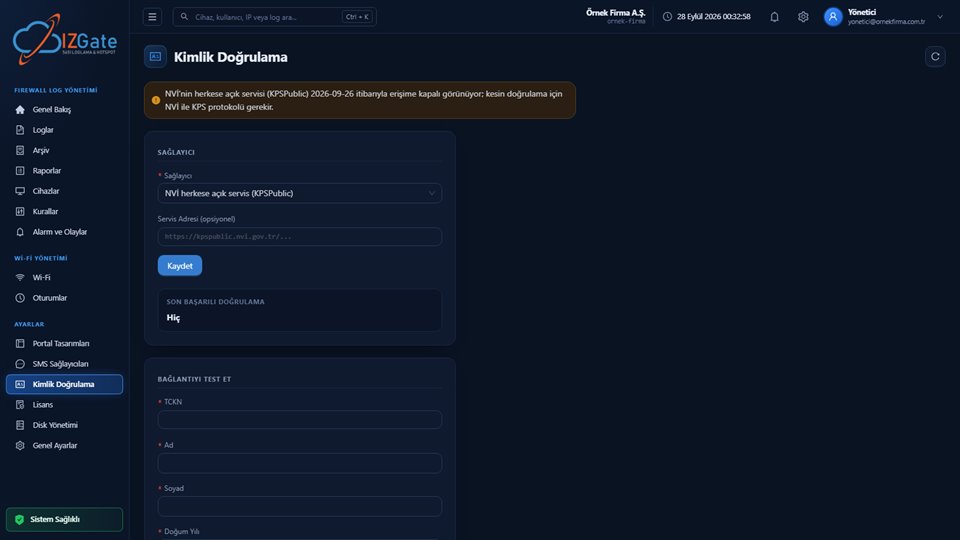
izgate recognizes permanent members, day users, and meeting-room guests separately, matching and signing each one's access to an identity. The following capabilities work together from the moment of deployment.
- Member account and device limitEach member is given a permanent account; the number of devices that can connect at once per person, and the session duration, are limited by network rules.
- Day/weekly user loginShort-term users connect through a flow separate from members, using a visitor code or SMS verification.
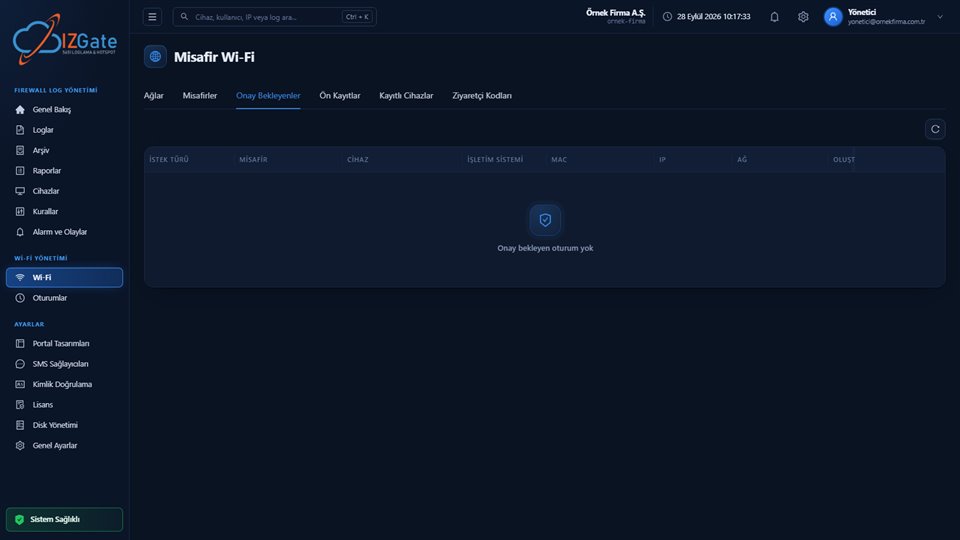
- Approval workflow for meeting-room guestsA member registers their guest; reception or an administrator approves it from the Pending Approvals screen; the guest's session is logged linked to the member who invited them.
- Identity-matched access recordsEvery row keeps time, internal IP, destination IP/port, NAT IP/port, MAC address, and user together.
- SessionsAll member and guest sessions currently active are listed; a session can be dropped from the firewall instantly when needed.
- Signed archiveWritten to a disk separate from the live data at the same time; protected by a SHA-256 chain and an Ed25519 signature, backed by a qualified timestamp obtained once a day.
How it's deployed
Choose a deployment model
Start with no setup required using izgate Cloud, or keep logs and archive on separate disks in an on-premises deployment.
Connect the firewall
Connect your FortiGate, MikroTik, pfSense, or OPNsense device with the access credentials you provide; it's registered after verification from its serial number.
Define the member and guest flow
Configure member accounts, the device limit, and the meeting-room guest approval workflow from the panel.
Finish the session and archive settings
Set the session duration, the daily connection limit, and the live/archive retention period from the panel.
Compliance checklist
- Is a separate login method defined for members, day users, and meeting-room guests?
- Does the guest approval workflow (member invitation → reception/administrator approval) work?
- Is a per-member device limit defined?
- Does every access record keep internal IP, MAC, user, destination, and NAT port together?
- Are live and archive records kept on separate disks?
- If you have more than one location, is it monitored from a single panel?
- When a membership ends, are that member's past access records preserved in the archive?
- Does your membership agreement and guest portal carry an internet-use information notice?
This is a live checkpoint worth re-reviewing especially during periods of high member turnover, or when opening a new location.
Frequently asked questions
Should members and day/weekly users be kept on the same network?
Both can connect to the same guest/member network through their own login method; what matters is that every session is matched to its own user record. Members are identified with a permanent member account, and day users with a visitor code or SMS verification, each tracked separately.
How do we handle a guest a member invites to a meeting?
The member registers their guest in the system; reception or an administrator approves the request from the Pending Approvals screen. The approved guest's session is logged linked to the member who invited them.
Can we limit how many devices a member connects?
Yes. Network rules can define how many devices per person may connect at the same time, the session duration, and a daily connection limit.
Is the business center responsible for an action taken by a member or a guest?
The internet line and the IP address visible to the outside world are registered to the business center, so when a question comes in, the business is usually the first point of contact. Identity-matched access records show which member or guest performed the action, helping the business clarify the situation. This is not a legal guarantee.
Can we see active member and guest sessions in real time?
Yes. The Sessions screen lists all member and guest sessions currently connected; a session can be dropped from the firewall instantly when needed.
If we have more than one location/branch, do we manage it from a single panel?
Yes. Each location's firewall device is added to the panel with its own record; search, sessions, and archive export are filtered by device or location and managed from a single panel.
What happens to access records after a member leaves?
Records remain in the signed archive for the retention period you set; the end of a membership does not delete past records, it only closes the right to open new sessions.
Do we need to obtain explicit consent from members for internet use?
The legal basis for keeping access records comes from the law, and explicit consent is not additionally required. That said, keeping an information notice in your membership agreement and your guest portal lets your members know about this.
If the same hot-desk is used by more than one member in a day, do the records get mixed up?
No. The access record is tied to the user who is logged in at that moment, not to the desk or a fixed IP address; different members who log in one after another at the same desk have their records kept separately from each other.
This page is for information only; for the current text of the legislation, refer to the official source (mevzuat.gov.tr).