Why is the internet line a hotel's own responsibility?
At a hotel, several different roles use the internet at the same time: a guest streaming a show in their room, another guest checking in at the lobby, front-desk staff, housekeeping and kitchen staff, and sometimes a contractor's employee handling cleaning or maintenance. All of them go online through the same line — the single internet connection registered in the hotel's name.
That's why, when any transaction made over that line is examined, the question is first directed at the hotel; the outbound IP address is in the hotel's name, and who the guest or staff member actually was isn't visible from the outside. Identity-matched access records — which internal IP, which MAC, at what time, to which destination, with which NAT port, and which alias code (and therefore which guest or staff member) that belongs to — show who performed the action and clear your hotel of suspicion. This is not a legal guarantee, but it does give you the ability to respond fully and quickly to a request from a competent authority and to direct accountability to the right person.
What makes this especially challenging in hospitality is the sheer speed of guest turnover: dozens of rooms check in and out every day, and each guest connects with a different device. Trying to keep records by hand, or with a simple "password board," makes it practically impossible to remember a few days later which device belonged to which room.
Beyond guests staying at the property, other groups may also use your line: the day's attendees when you rent out a wedding or meeting hall, the employees of a company you're hosting in your conference room, extra seasonal staff you've hired, or a contractor crew handling maintenance, pool, or garden work. Each enters your network for a different duration and with a different level of access; setting up tools like pre-registration, visitor codes, and session duration separately for each of these groups lets you keep every group's records distinct, without mixing them together.
Legal framework for hotels and hospitality facilities
Law No. 5651 defines a public use provider without distinguishing between customer, guest, and staff:
"Toplu kullanım sağlayıcı: Kişilere belli bir yerde ve belli bir süre internet ortamı kullanım olanağı sağlayanı,"
"Public use provider: a person who provides individuals with the means to use the internet at a specific place for a specific period of time,"
Law No. 5651, Art. 2/1-i — unofficial translation — mevzuat.gov.tr
A hotel offering free Wi-Fi to its guests does not make it a "commercial-purpose internet public use provider" (a definition used for internet cafes and similar places that sell internet access for a fee); so you are not obliged to obtain an operating permit or subject to the sanctions in Articles 9/11. By contrast, Article 7/2 of the Law places the record-keeping obligation on everyone, regardless of commercial purpose:
"Ticari amaçla olup olmadığına bakılmaksızın bütün internet toplu kullanım sağlayıcılar, konusu suç oluşturan içeriklere erişimin engellenmesi ve kullanıma ilişkin erişim kayıtlarının tutulması hususlarında yönetmelikle belirlenen tedbirleri almakla yükümlüdür."
"Regardless of whether they operate for commercial purposes, all internet public use providers are obliged to take the measures specified by regulation regarding the blocking of access to content that constitutes a criminal offense and the keeping of access records relating to use."
Law No. 5651, Art. 7/2 — unofficial translation — mevzuat.gov.tr
Article 4 of the Regulation lists three basic obligations for ALL public use providers (hotels included): using a content filtering system, electronically recording access records and keeping them for two years, and identifying users by SMS or a similar method in publicly accessible areas (lobby, poolside, and the like). Content filtering is applied by your firewall's own web filter; izgate collects, stores, and reports on the filtering/blocking records that result from it. For more detail, see: Law No. 5651 Guide, What Is a Public Use Provider?, Regulation on Internet Public Use Providers.
One night, one request: a front-desk example
The most common situation at hotels is a question about a transaction made from the hotel's line at a specific time. Let's walk through a concrete example of how izgate works in daily operations.
A competent authority requests a record of a transaction made at a specific time one night from the hotel's line; the hotel doesn't know which room's connection it was.
The record filtered in the panel by that time window and destination address is tied to a single alias code (mg-7f21c3); through the PMS pre-registration mapping, this code resolves to the guest in room 214.
The hotel responds to the request with a signed record package limited to that one guest; the other rooms and the hotel itself stay out of the inquiry.
- Time
- 2026-10-03 23:14:07
- Internal IP
- 10.20.4.182
- MAC
- 3C:EC:EF:4B:9A:21
- User
- mg-7f21c3 → Room 214 (A.Y.)
- Destination
- 185.22.xx.xx : 443
- NAT (real) IP:port
- 91.xx.xx.xx : 52344
- Device
- FortiGate-Lobby
What does izgate do at a hotel?
izgate works on two levels to match your front desk's daily workflow: one is the verification flow the guest sees for themselves, and the other is the logging and reporting side you manage from the panel. The standout parts for hotels and hospitality facilities are:
- Pre-registration from your property management system (PMS)Your reservation/stay system transmits the guest to izgate's pre-registration API at check-in; the guest only confirms their registration in the portal with a short piece of information (phone number or full name).
- Access scoped to length of stayYou set the session duration per network according to the length of stay; when the time is up, the temporary user on the firewall is deleted automatically.
- Per-guest device limitFor guests who want to connect a phone, a tablet, and a laptop at the same time, the number of simultaneous devices per person is limited in the network settings.
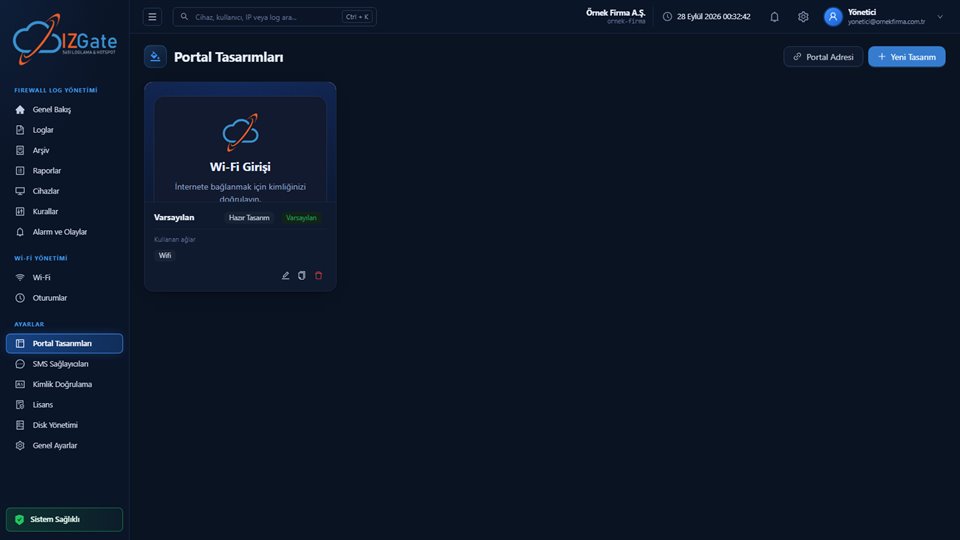
- A portal built for your brand, in TR/ENLogo, colors, and copy are adapted to your brand; Turkish and English content are edited independently, so your foreign guests see it in their own language.
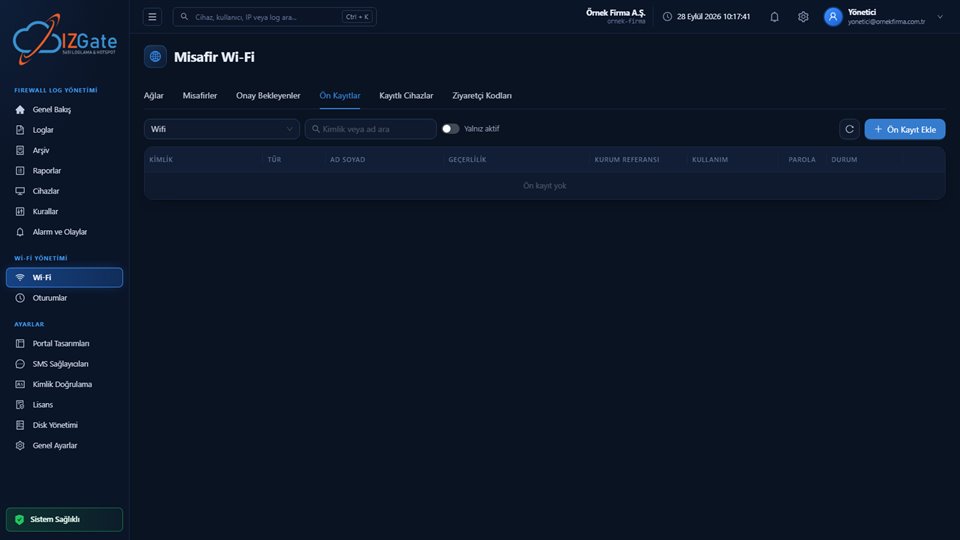
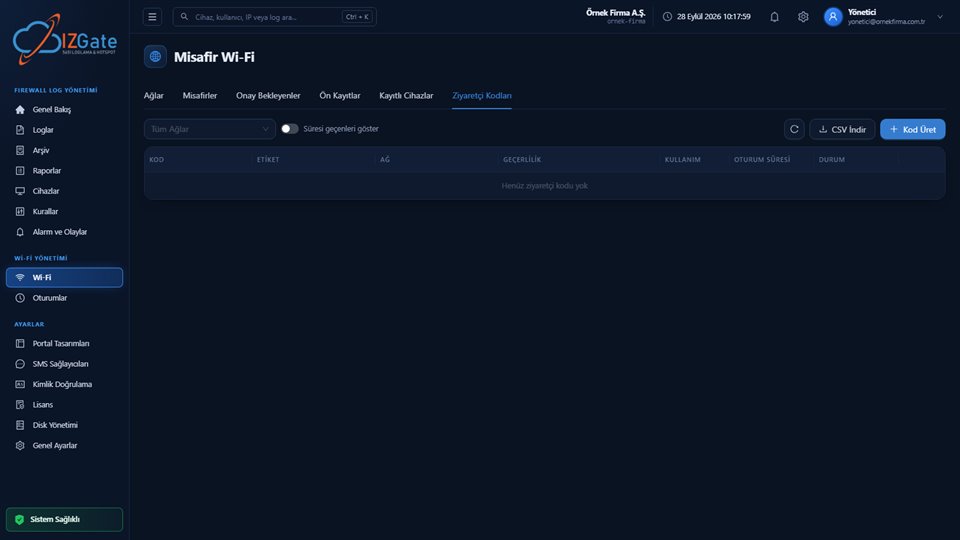
- Visitor codes at the front deskFor a walk-in guest without a reservation, or a meeting/event attendee, the front desk generates codes in bulk from the panel; a label, validity period, and usage limit are defined, and the code can be printed on a receipt or a card.
- Staff network kept separate from guestsHousekeeping, kitchen, and front-desk staff work on a separate network, fully isolated from the guest network, with RADIUS-based authentication.
- Live visibility on the Sessions screenThe front desk instantly sees who's currently connected to the network, by which method they were verified, and when they connected, from the "Guest Sessions" list; a problematic session can be ended with a single click.
How is it set up at a hotel?
Device verification
Your firewall (FortiGate REST API or MikroTik SSH) is defined from the panel; the record is verified against the serial number read from the device.
PMS integration
A pre-registration API key specific to your property management system is defined; check-in data is transmitted to izgate through this endpoint.
Portal and network rules
The brand theme, TR/EN copy, session duration, per-guest device limit, and separate SSID/RADIUS settings for staff are defined.
Once these three steps are complete, a new guest's flow works like this: they confirm their registration in the portal using the pre-registration data transmitted from the PMS, a session dedicated to that person opens on the firewall, that session stays valid for the length of their stay, and after check-out you end the session from the panel or it closes automatically once it expires. Your front-desk team makes no technical adjustment during this process; it only generates a visitor code in exceptional cases (e.g., a guest arriving without a reservation).
Compliance checklist for hotels
The list below is a summary of checkpoints you can review quickly before a season opening, a new branch, or a periodic internal audit; each item is explained in detail in the legal framework and izgate sections above.
- Is the content filtering system (your firewall's web filter) active and up to date?
- Are access records recorded electronically and kept for two years?
- Is there an SMS-type user identification method in publicly accessible areas such as the lobby or poolside?
- Is the staff network (housekeeping, kitchen, front desk) separate from the guest network?
- Is the PMS pre-registration API connected and does it match the check-in flow?
- Are the session duration and per-guest device limit suited to your typical stay profile?
- Does the daily archive integrity check run, and is signed export ready?
Frequently asked questions
Does a hotel need to obtain an operating permit?
No. An operating permit is only for places classed as a "commercial-purpose internet public use provider" — internet cafes and similar places that sell internet access for a fee. A hotel that offers Wi-Fi to guests as part of the accommodation service does not fall under this definition; it is subject to the general obligations in Article 4 of the Regulation (filtering, two-year record retention, SMS-type identification in publicly accessible areas).
Does a guest's access close automatically when their stay ends?
You set the session duration from the network settings; you define it according to the length of stay. When the time is up, the temporary user on the firewall is automatically deleted by izgate and access closes.
How does our property management system (PMS) talk to izgate?
Your PMS transmits the guest to izgate's pre-registration API at check-in. The guest only confirms their registration in the portal with a short piece of information, such as a phone number or full name; if an access password is defined, it is entered as well.
Can front-desk staff see the entire panel?
No. Front-desk staff can be given a measured "Guest Welcome" permission that opens only the Pending Approvals, Visitor Codes, and Sessions screens; they have no access to logging, rule, or license settings.
How is staff Wi-Fi separated from the guest network?
A separate network is defined for housekeeping, kitchen, and front-desk staff, and it is managed with RADIUS-based authentication, completely independent of the guest network.
How long are access records kept?
The retention period is a setting the business chooses; two years is recommended under Law 5651 and applied by default. Live and signed archive records are kept in parallel, and records are never deleted even if a disk fills up.
How do guests attending a wedding, meeting, or event connect?
Since these guests are not on your stay list, they connect not through the pre-registration API but with a visitor code generated by your front desk or events team. You can give the code an event-specific label, a validity period, and a usage limit; the code automatically expires once the event ends.
This page is for information only; for the current text of the legislation, refer to the official source (mevzuat.gov.tr).