Why internet access in a store is the business's responsibility
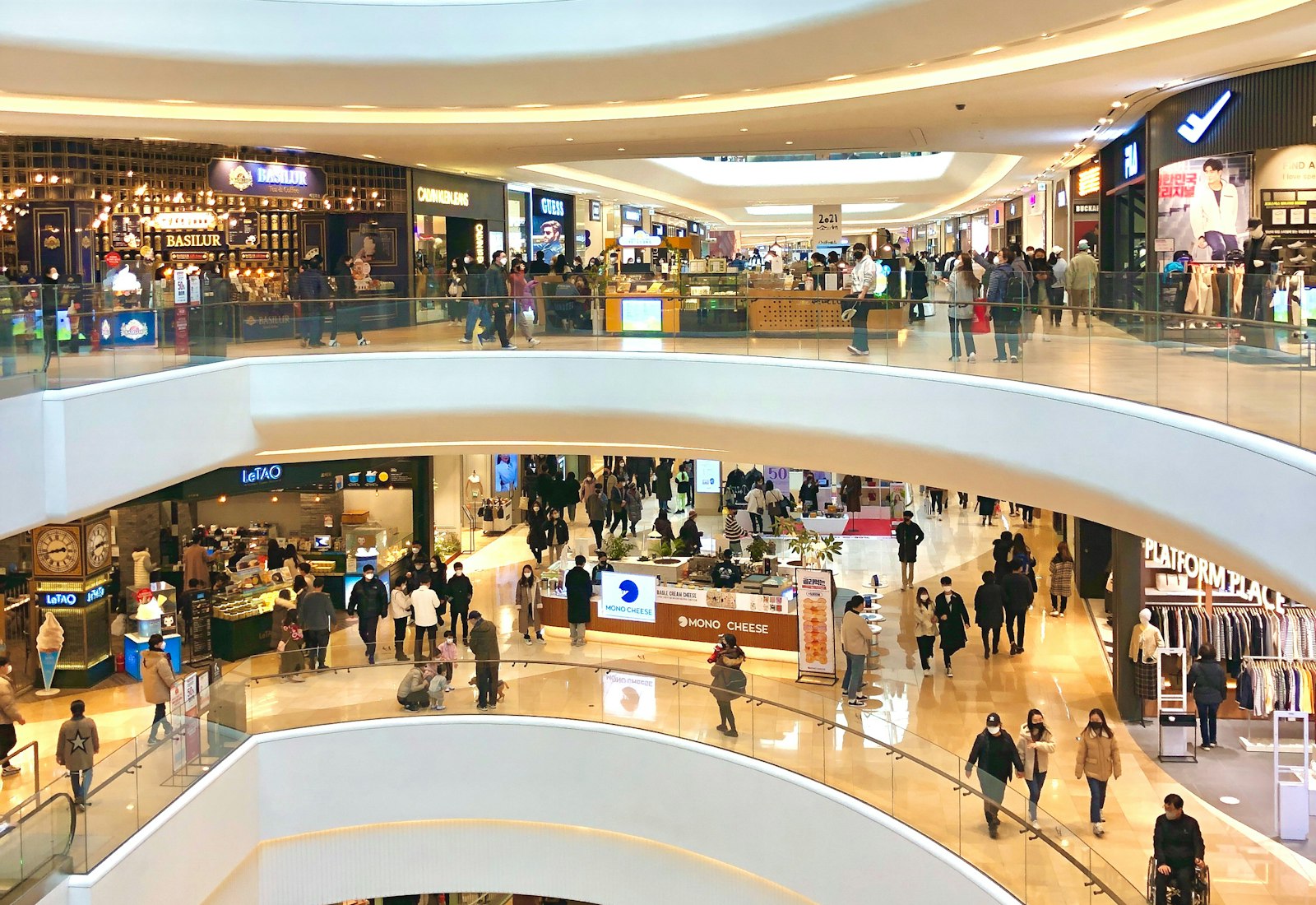
In a mall store or any branch of a chain, more than one role shares the same line at every hour of the day. Sales staff and cashiers stay connected to POS and inventory systems throughout their shift. The store manager and security staff both do their own job and keep an eye on general order in the store. Shoppers connect to guest Wi-Fi while waiting or browsing inside the store. Supplier delivery staff and auditors visiting from headquarters also want brief access to the network.
To the outside world, this branch has a single identity: the internet line registered in the name of the chain or the business. When an action taken by a customer over guest Wi-Fi, or by a staff member over the corporate network, is investigated, the first question lands on the store or the head office — because the visible address belongs to the business. In a multi-branch chain, that question can come from any location; if the records are scattered or incomplete, it's impossible to determine which branch, which device, and who performed the action.
Identity-matched access records, together with monitoring all branches from a single panel, remove this uncertainty: which branch, which network (staff or guest), which device, and at what time something was accessed can all be seen centrally.
As a chain grows, this need multiplies: every newly opened branch carries the same responsibility, staff rotate frequently between branches, and some stores may also have seasonal staff and outsourced kiosk/stand operators sharing the same line. For the head office to respond at the same speed and with the same level of detail to a request that could come from any branch, records need to be kept in one place, in a consistent way.
It's also common for different branches to use different firewall brands (FortiGate, MikroTik, pfSense, OPNsense); as a chain grows, branches may have bought devices from different suppliers at different times. A central panel's ability to bring these different brands and models together in the same search and reporting screen lets the chain work to a single standard regardless of its technical history.
In malls, the common-area operator (the management company) and each store's own staff may also be different legal entities; the common-area Wi-Fi may belong to the mall management, while the in-store network belongs to the store itself. In that case, each party keeping its own access records under its own identity also clarifies, at the time of an incident, which party is responsible for which network.
Legal framework: every branch keeps its own record
The definition in Law No. 5651 (Turkey's Internet Law) draws no distinction between a single store and a multi-branch chain; any location that provides internet to its customers or staff falls within this definition:
"Toplu kullanım sağlayıcı: Kişilere belli bir yerde ve belli bir süre internet ortamı kullanım olanağı sağlayanı,"
"Public use provider: A person who provides individuals with the means to use the internet environment at a specific place and for a specific period,"
Law No. 5651, Article 2/1-i — mevzuat.gov.tr — unofficial translation
The content of the access records to be kept is explicitly defined in the Regulation; in a multi-branch structure, each location is expected to keep its own access records with this content:
"Kendi iç ağlarında dağıtılan IP adres bilgilerini, kullanıma başlama ve bitiş zamanını ve bu IP adreslerini kullanan bilgisayarların tekil ağ cihaz numarasını (MAC adresi) gösteren bilgileri, hedef IP adresi, bir veya birden fazla IP adresinin portlar aracılığı ile kullanıcılara paylaştırılması yöntemi ile sunulan internet erişim hizmetinde kullanıcıya tahsis edilen gerçek IP ve port bilgilerini,"
"Information showing the IP addresses distributed on their own internal networks, the start and end time of use, and the unique network device number (MAC address) of the computers using those IP addresses; the destination IP address; and, in internet access services provided by sharing one or more IP addresses among users through ports, the actual IP address and port information assigned to the user,"
Regulation on Internet Public Use Providers (2017), Article 3/1-e — mevzuat.gov.tr — unofficial translation
The same Regulation requires all public use providers to use a content filtering system (Article 4/1-a); this filtering is applied through each branch's own firewall's web filter, and izgate centrally collects the blocking and access records that filtering produces and matches them to the user. This is not a legal guarantee; the accurate statement is that you can document who performed a given action at a given branch, and respond fully to a request from the authorities. For the detailed framework, see the Regulation on Internet Public Use Providers and the What Are Access Records? guide.
A realistic scenario
The example below shows how identity-matched records work in practice in a multi-branch chain.
A report arrives stating that the external (NAT) IP address belonging to one of the chain's branches accessed a platform at a specific time. To the outside world, this address is the business the branch belongs to; which device it came from is not stated.
The central IT team selects the relevant branch and time range from a single panel and filters Live Logs; the internal IP, MAC, and the SMS-verified user session from guest Wi-Fi appear.
The signed record documents that the access was made, at that time, from the phone of a customer shopping in the store over the guest network; the business clarifies the situation by showing who performed the action.
- Time
- 11/09/2026 17:26:41
- Internal IP
- 10.80.21.9
- MAC
- A4:5E:60:C3:17:8B
- User
- mg-9b03e7 → Guest (SMS-verified, Branch: Ankara-Mall-3)
- Destination
- 157.240.22.35:443
- NAT IP:Port
- 176.43.112.6:28841
- Device
- FortiGate-Ankara-Mall-3
The same method can be used to verify from the head office, in a single panel, which branch, which network, and which device a customer complaint or a security incident originated from; there's no need to request logs from each branch separately.
What does izgate do for your chain
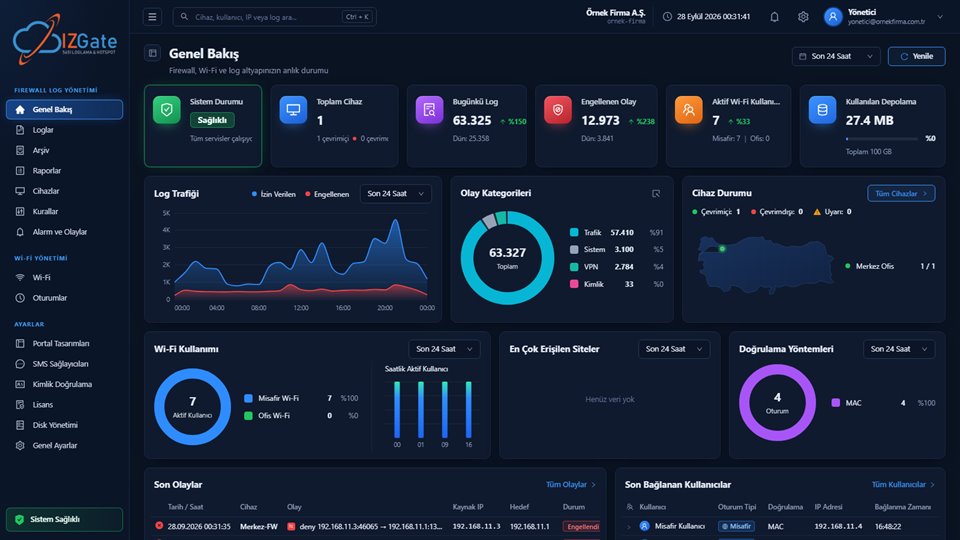
izgate makes dozens of branches visible from a single panel, separates the staff and customer networks at every branch, and matches and signs every access to an identity. The following capabilities work together from the moment of deployment.
- One panel, multiple branchesEach branch's firewall device is added to the central panel with its own record; search and alerts can be filtered by branch, region, or the whole chain.
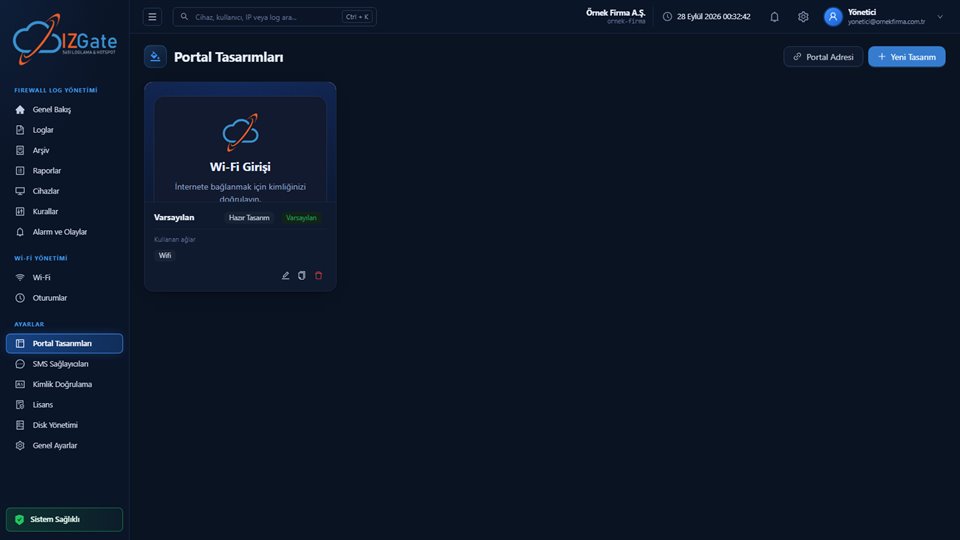
- Branded, per-branch portalLogo, color, background, and layout can be customized per branch or per chain; a TR/EN language option can be defined.
- Staff and customer network separationStore staff connect from the corporate network, and shopping customers connect from guest Wi-Fi via SMS verification or a visitor code.
- Identity-matched access recordsEvery row keeps time, internal IP, destination IP/port, NAT IP/port, MAC address, and user together; searchable by branch.
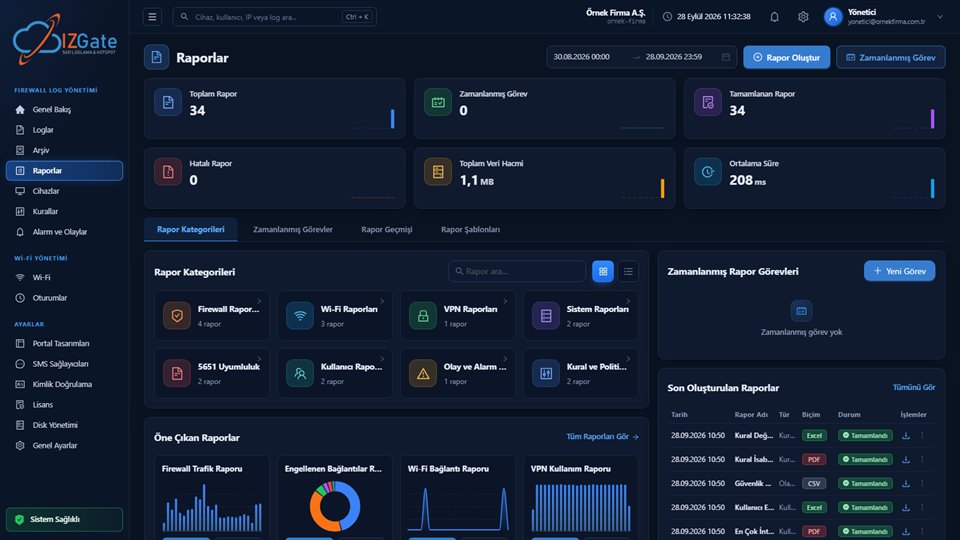
- Centralized reports17 ready-made reports are available as PDF/Excel/CSV; scheduled reports are sent automatically by email or Telegram, and branches can be compared against each other.
- Signed archiveEach branch's record is written, at the same time as the live data, to a separate disk; protected by a SHA-256 chain and an Ed25519 signature, backed by a qualified timestamp obtained once a day.
How it's deployed
Choose a deployment model
Multi-branch chains generally prefer izgate Cloud; all branches come together under a single account.
Connect each branch's firewall
A FortiGate, MikroTik, pfSense, or OPNsense device is connected with the branch's access credentials and registered after verification from its serial number.
Define the portal and network separation
Configure the branch/chain-branded portal and the staff/customer network separation from the panel.
Set up centralized reports and alerts
Define scheduled branch reports and critical alert notification channels (email/Telegram) for the head office.
Compliance checklist
- Are all branches' firewall devices visible in a single panel?
- Are the staff network and the customer guest network separated from each other?
- Is each branch's portal customized to match the brand?
- Does every access record keep internal IP, MAC, user, destination, and NAT port together?
- Can centralized reports compare branches against each other?
- Are live and archive records kept on separate disks?
- Are newly opened branches added to the central panel at the moment they're set up?
- Is a separate login method defined for seasonal staff and kiosk/stand operators?
This is a living checklist that the head office should re-review periodically as the chain grows or a new branch opens.
Frequently asked questions
Is a separate panel set up for every store/branch?
No. Each branch's firewall device is added, with its own record, to a single central panel; search, reports, and alerts can be filtered by branch, region, or the whole chain.
Should store staff and shopping customers be on the same network?
No. Staff should connect from their own network with a corporate account, and customers from the guest Wi-Fi via SMS verification or a visitor code; this separation protects both security and access records.
Can we design a different login screen (portal) for each branch?
Yes. On the portal designs screen, logo, color, background, and layout can be customized per branch or per chain; a TR/EN language option can also be defined.
Is the chain responsible for an action a customer takes in a store?
The internet line and the IP address visible to the outside world are registered to the business, so when a question comes in, the business is usually the first point of contact. Identity-matched access records show who performed the action, helping the business clarify the situation. This is not a legal guarantee.
Can we compare all branches' traffic in a single report?
Yes. The central reports screen offers 17 ready-made reports as PDF/Excel/CSV, and scheduled reports can be sent automatically by email or Telegram.
How long does it take to add a newly opened branch to the system?
The branch's firewall device connects to the panel using the access credentials provided and is registered after verification from its serial number; once connected, it appears in the central panel immediately and starts collecting logs.
How are seasonal staff and kiosk/stand operators kept separate?
These users can be defined through a login method separate from permanent staff, such as a visitor code or a separate guest account; access records are still logged separately, matched to identity.
Is content filtering (website blocking) done by izgate?
No. Content filtering is applied by each branch's own firewall through its web filter; izgate centrally collects the blocking and access records that filtering produces and matches them to the user.
If our branches use different firewall brands, do they come together in one panel?
Yes. FortiGate, MikroTik, pfSense, and OPNsense devices appear side by side in the same central panel; search, alerts, and reports work independently of brand, by branch, region, or the whole chain.
This page is for information only; for the current text of the legislation, refer to the official source (mevzuat.gov.tr).