Why is the internet line at a gym or beauty center the business's responsibility?
A member working out at a gym, a customer having their hair done at a salon, the front-desk staff, and the trainers all draw on the same internet connection. That connection is registered, as a single line, in your business's name; that is the only thing visible from the outside.
A complexity specific to this sector is that work arrangements are rarely standard: some trainers or hairdressers rent a chair and work independently, some staff work part-time or in shifts, and some beauty centers have several independent specialists working at once. When everyone uses the same Wi-Fi password, an incident that happens in the evening risks being pinned on someone from the morning shift, or on a specialist who simply rents space; an identity-matched record removes that confusion.
Small and mid-sized businesses generally don't have a dedicated IT team; giving everyone the same Wi-Fi password, or keeping no record at all, is the most common practice. But when an action taken over the line is investigated, the business is still the first point of contact. Identity-matched access records — which internal IP, which MAC, at what time, to which destination, and which alias code that's tied to — show who performed the action and clear your business of suspicion. This is not a legal guarantee; it's a way of directing responsibility to the right person.
The distinguishing need here is being able to keep this record without a technical team, with few devices, and at a low operating cost.
If you run a chain gym or a beauty center with multiple branches, responsibility arises separately per branch, since each branch has its own member base and its own line. A gap in records at one branch stays limited to that branch — but if you have a standard setup template, opening a new branch is just as fast.
Legal framework for gyms, salons, and beauty centers
Law No. 5651's definition of traffic information shows what content the record that must be kept should contain:
"Trafik bilgisi: Taraflara ilişkin IP adresi, kaynak ve hedef port bilgisi, verilen hizmetin başlama ve bitiş zamanı, yararlanılan hizmetin türü, aktarılan veri miktarı ve varsa abone kimlik bilgilerini,"
"Traffic information: The IP address of the parties, source and destination port information, the start and end time of the service provided, the type of service used, the amount of data transferred, and, if any, subscriber identity information,"
Law No. 5651, Art. 2/1-j — mevzuat.gov.tr — unofficial translation
A gym, salon, or beauty center that gives its members or customers free Wi-Fi does not fall within the definition of a "commercial internet public use provider" set out for internet cafes and similar places that sell internet for a fee; you don't need to obtain an operating permit. That said, Article 4 of the Regulation fixes the retention period for access records for everyone:
"Erişim kayıtlarını elektronik ortamda kendi sistemlerine kaydetmek ve iki yıl süre ile saklamak."
"To record access logs electronically on their own systems and retain them for a period of two years."
Regulation on Internet Public Use Providers (2017), Art. 4/1-b — mevzuat.gov.tr — unofficial translation
For more detail: Law No. 5651 Guide, What Is a Hotspot and Captive Portal, and How Does It Work?, Law No. 5651.
The customer profile also varies within the sector itself: a gym member is someone who comes a few times a week and has a long-term relationship with the business; here, settings like "remember this device" and a per-person device limit stand out. A salon or beauty-center customer, by contrast, usually comes less often and by appointment; here, SMS or a one-time visitor code issued at reception is more practical. Because all of these settings are independent per network in izgate, you can use different combinations at different branches under the same panel; if you like, you can even define the gym area and the beauty/spa section of the same facility as separate networks with different verification rules.
One membership, one question: a gym example
A request for information comes in about an action reportedly taken from the gym's Wi-Fi at a specific time; reception can't track from the membership log who was in the gym at that hour.
The record filtered in the panel by that time range is tied to an SMS-verified alias code (mg-9c04e2).
The business responds to the request with a signed record package limited strictly to that session; other members stay out of the review, and reception staff don't have to try to remember who it was.
- Time
- 03/10/2026 19:05:33
- Internal IP
- 10.5.1.63
- MAC
- 7C:2F:80:AA:11:3E
- User
- mg-9c04e2 (SMS-verified)
- Destination
- 104.21.xx.xx : 443
- NAT (real) IP:port
- 78.xx.xx.xx : 60210
- Device
- MikroTik-Salon
What does izgate do at a gym, salon, or beauty center?
As a small business, your needs are usually limited to two things: your member/customer connecting fast and smoothly, and you being able to keep a record of those connections. izgate meets both needs in the same panel, with no technical team required; you don't have to use all of the sections below at once — enable whichever one or few fit your business's size and customer profile.
- Cloud setup sized for a small businessizgate Cloud runs on İzHost infrastructure, accessed through panel.izgate.com; no need to set up or manage your own server.
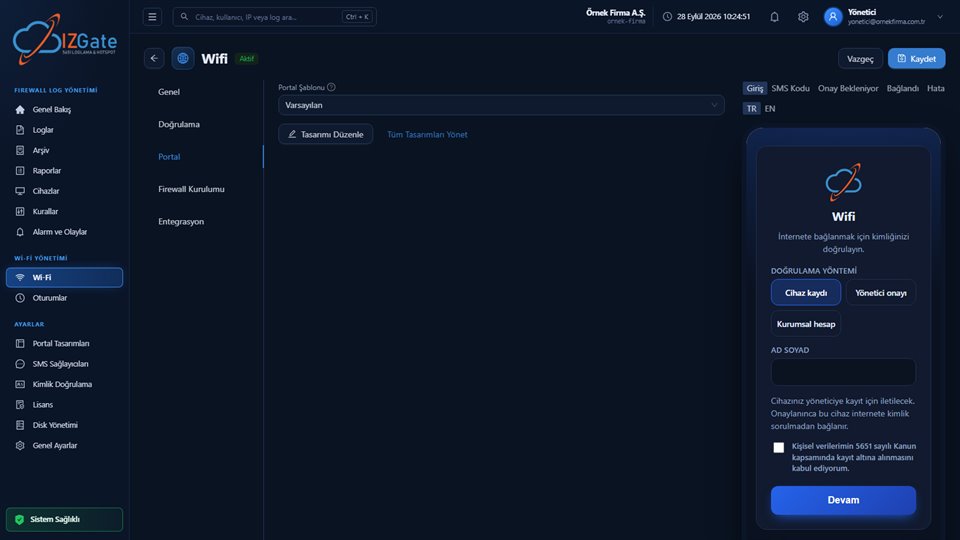
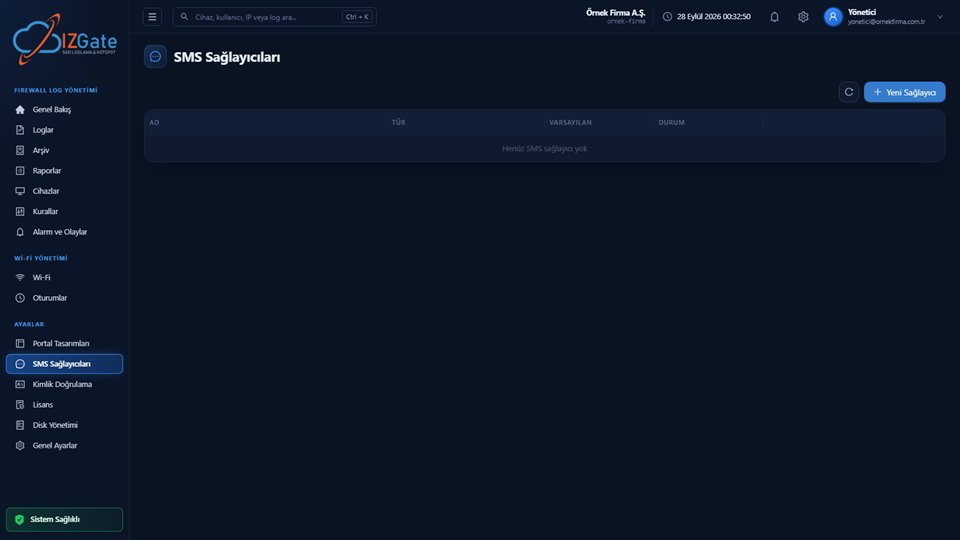
- Fast SMS loginThe member or customer enters a phone number, types the code they receive, and is connected within seconds.
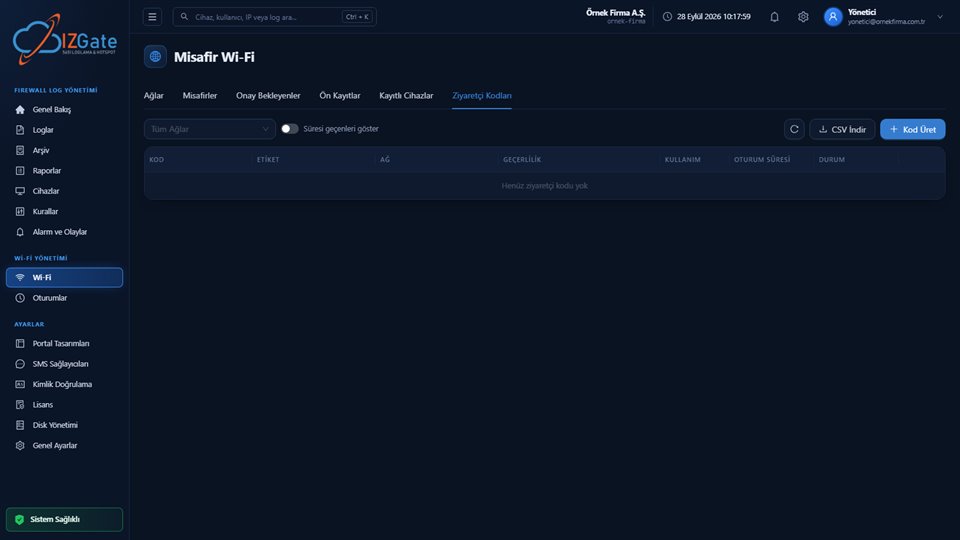
- Visitor codeFor a trial membership or a one-time customer, reception can issue a code with a set validity period and usage limit.
- Short session durationA session duration close to a typical workout or appointment length is set from the network settings; access closes automatically once it's up.
- MikroTik supportYour MikroTik RouterOS 7 device connects via SSH and the REST API; FortiGate, pfSense, and OPNsense are also supported.
- Trainer/staff network kept separateIf you want, a RADIUS-based network separate from the member network can be defined for trainers and staff.
- Single-panel visibility for chainsIf you have more than one branch, each branch's device is defined separately in the same panel; a standard setup template speeds up opening a new branch.
- Instant lookup against your membership softwareIf you have membership-tracking software, the portal can check, at the moment of verification, via an API call to that system whether the person's membership is active; access is not automatically granted to someone whose membership has expired.
How is it deployed at a gym, salon, or beauty center?
Deployment time varies with your business's size; for a single-branch salon it may take a few hours, and for a multi-branch gym chain it means a short process repeated for each branch. The three steps below are the same in every case.
Open a cloud account
Create your account through panel.izgate.com; no installation or server requirement.
Connect the device
Define your MikroTik (or FortiGate/pfSense/OPNsense device) from the panel; its serial number is read from the device and verified.
Choose the method and duration
Enable SMS and/or a visitor code, and set the session duration and daily limit.
These three steps are simple enough for a reception staff member with no technical background to follow; setup is completed within a few hours in most small businesses. If you run a chain, you can shorten the opening time for new branches by copying the settings you created at the first branch (portal theme, method combination).
Compliance checklist for gyms, salons, and beauty centers
Even without a technical team, you can check the items below one by one to make sure your records are complete; each is explained in detail in the legal-framework and izgate sections above.
- Is the content filtering system (your firewall's web filter) active and up to date?
- Are access records being kept electronically and retained for two years?
- Is there an SMS or visitor-code user-identification method on the facility's network?
- Is the session duration set to match a typical visit/appointment length?
- Is your firewall device (MikroTik, etc.) connected and verified through the panel?
- If staff need a separate network, has it been separated with RADIUS?
- Does archive integrity verification run daily?
Frequently asked questions
Does a small gym need to run a server?
No. izgate Cloud runs on İzHost infrastructure and is accessed through panel.izgate.com; you don't need to set up or manage your own server. All you need to do is define your firewall device (e.g., MikroTik) from the panel.
Do I have to use MikroTik?
No. izgate supports FortiGate, MikroTik (RouterOS 7), pfSense, and OPNsense devices. MikroTik is a frequent choice at small and mid-sized businesses for its affordability; the device connects via SSH and the REST API.
Does my gym also need an operating permit?
No. The operating permit is only for places that count as a "commercial internet public use provider" — internet cafes and similar places that sell internet for a fee. The Wi-Fi you offer your members or customers is part of your core service, so it doesn't fall under that definition.
Should I use a visitor code instead of SMS?
Both can be used, and can be defined together. SMS gives any customer with a phone a fast path; a visitor code generated at reception is more practical when you want to set a quota, a validity period, and a usage limit — for example, for daily trial memberships.
How short should the session duration be?
That's entirely your own preference; a session duration close to a typical workout or appointment length (e.g., 60-90 minutes) keeps the network from being occupied by a single person for a long time. When the time is up, the temporary user on the firewall is deleted automatically.
Is the trainer's and staff's internet on the same network as the members'?
No. A separate RADIUS-based network can be defined for trainers, hairdressers, and other staff; this network operates independently of the member/customer guest network.
I run a chain business — do I have to manage each branch separately?
No. Each of your branches' devices is defined in the same panel as a separate unit; you can set up your common settings (portal theme, method combination) on the first branch and copy them to new branches.
This page is for information only; for the current text of the legislation, refer to the official source (mevzuat.gov.tr).