Short answer: MikroTik setup starts by connecting to the device running RouterOS 7 with SSH credentials and verifying it; during that SSH session, a limited-privilege "izgate" user and REST API access for izgate's use are created automatically. The panel then applies, over the same access, the NTP, syslog, hotspot, login page, Wi-Fi, and (if used) Let's Encrypt steps; day-to-day operations such as opening/closing guest users are then done via the REST API.
RouterOS 7 requirement
On most MikroTik devices used by small businesses, updating RouterOS is a simple operation; if your device is still running RouterOS 6, you'll need to update to RouterOS 7 first to use the automatic setup. After updating, you can verify with "API Test" in the panel that the device supports the REST API and the modern hotspot/Wi-Fi packages.
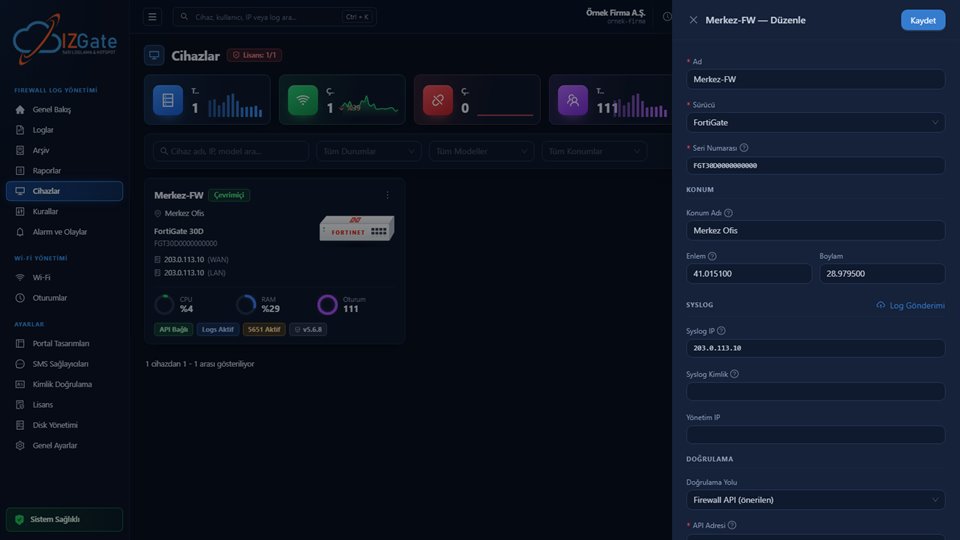
Automatic setup and hotspot guest provisioning require RouterOS 7; the REST API and the modern hotspot/Wi-Fi packages come with this version. When you add the device on the Devices page via "New Device," you select MikroTik as the driver and enter the device's address and SSH credentials (username/password); since MikroTik is a driver that doesn't carry a serial number, the address of the interface sending syslog must exactly match the device record.
1. SSH verification and automatic setup
With the credentials you entered, izgate connects to the device over SSH to verify the registration. During this SSH session, a limited-privilege "izgate" user and the REST API access tied to it — which izgate will use for all subsequent operations — are created automatically, so you don't have to generate a username/password yourself. The panel only manages objects it created and tagged "izgate"; it doesn't touch the router's existing configuration, and the operation is idempotent — running it again does no harm.
After this initial setup, the NTP client, remote syslog and the log rules required for 5651; the IP pool, DHCP network, DNS, and user profile for the hotspot; and, with RouterOS 7's wifi or legacy wireless package auto-detected, the SSID and guest isolation are all written in sequence over the same access. Day-to-day operations such as adding/removing guest users are then done not over SSH but through the REST API access opened during initial setup.
2. Hotspot and login page
The goal here is a flow that needs no manual intervention from the moment a guest joins the network to the moment verification is complete and they're online; automatic setup prepares every part of this flow on the router's side in a single pass.
Automatic setup links an HTTP-PAP user profile, a hotspot server, and a masquerade (NAT) rule to the hotspot interface. For the login page, RouterOS's own /tool/fetch command is used: the router itself downloads the login.html file from the izgate portal — since the REST API has no file upload, this step is completed with the router's own tools. When a guest connects to the network, the hotspot's link-login-only (HTTP PAP) method automatically redirects them to the izgate portal; once verification is complete, a guest user is opened on the hotspot via the REST API.
3. Walled garden
The walled garden determines which addresses can be reached before guest verification completes. Automatic setup adds the portal's own address, the addresses required for captive-bypass, and any additional free addresses you've defined in the network settings to the walled garden rules. This way, while the guest's browser is directed to the portal, it can reach the required addresses (e.g. portal assets) without being blocked, while general internet access before verification stays closed.
4. Remote log delivery and per-device signature
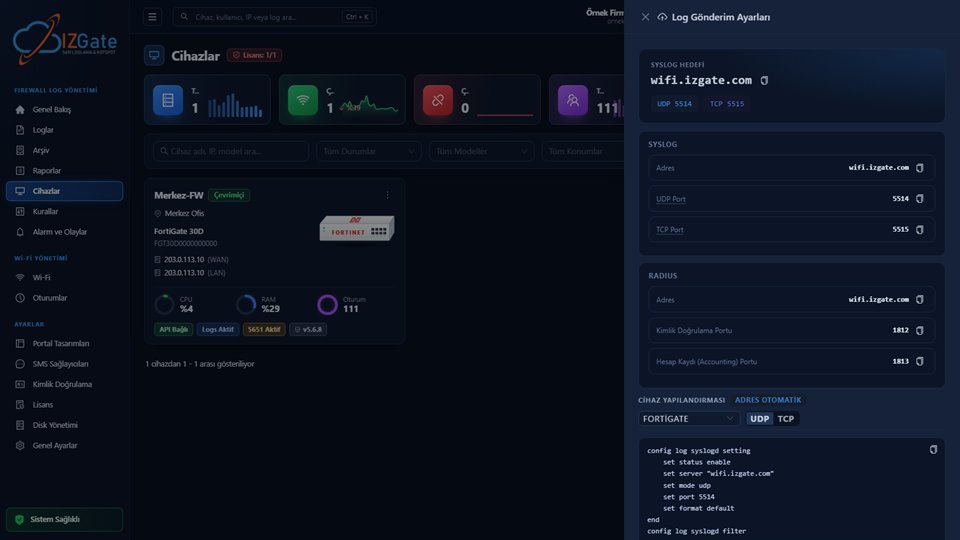
Automatic setup enables remote syslog with iso8601 time formatting and adds the forward + srcnat log rules required for 5651 to the top of the rule list; these rules make sure traffic and NAT information (internal IP, destination, NAT IP:port) reaches izgate. Because MikroTik's standard syslog output doesn't carry a serial number, izgate uses a hidden signature prefix, automatically added and unique to each MikroTik device, to guarantee that incoming logs are correctly attributed; this prefix ensures that in the event of an address conflict or misconfiguration, a log is never written to the wrong company.
Day to day: a café example
The example below describes what happens when a request arrives for a café using a MikroTik hotspot on its guest Wi-Fi.
An authority requests information about an action performed from the café's guest network at a specific time.
The syslog record MikroTik sent, tagged with the device-specific hidden signature, is searched matched against the alias code assigned to the guest at the moment of authentication.
The internal IP, destination, and NAT IP:port information for the relevant time window is pulled from the signed archive and exported.
- Time
- 2026-10-04 20:05:18
- Internal IP
- 10.5.50.23
- MAC
- B8:27:EB:1A:90:4C
- User
- mg-91cde2 (alias code → resolved to a person in the panel)
- Destination
- 203.0.113.80:443
- NAT IP:Port
- 176.X.X.44:29311
- Device
- MikroTik-Cafe
Device metrics and the Rules page
Beyond day-to-day guest user management, the REST API access opened during automatic setup provides two extra benefits: on the Devices page, CPU, RAM, and session count are sampled once a minute and shown as ring charts; on the Rules page, you can read and edit MikroTik's /ip/firewall/filter rules from the panel. Neither of these two features exists on the API-less pfSense and OPNsense drivers; they're specific to MikroTik and FortiGate.
Field-test status
The MikroTik driver and automatic setup flow (syslog, hotspot, login page, Wi-Fi, Let's Encrypt) have passed unit tests and an end-to-end test against a mock RouterOS; field verification on a real RouterOS device has not yet been performed. After setup, always confirm the first connection with a test guest login.
Because the RouterOS REST API has no interactive/persistent commands, there's a 60-second-per-request limit and a single-object limit; automatic setup proceeds step by step within these limits. The Let's Encrypt step obtains a certificate for the router via ACME HTTP-01 and serves the hotspot login page over HTTPS; this requires port 80/tcp to be open on the WAN side.
The important point here is that the access opened over SSH is used only at setup time, while the REST API takes over for day-to-day operation. This separation lets everyday guest traffic be managed over a lighter, more scalable channel without depending on the SSH connection.
Checklist
- Is the device running RouterOS 7?
- Were the SSH credentials (username/password) entered correctly in the panel?
- Did the syslog, hotspot, and login page steps complete without errors at the end of automatic setup?
- Is the portal address and are the required free addresses defined in the walled garden?
- Did a test guest login after setup show up as a record in the panel?
- Is port 80/tcp open on the WAN side (if Let's Encrypt will be used)?
Frequently asked questions
When adding a MikroTik, do I need SSH or REST API information?
When adding the device you enter SSH credentials (username/password); izgate uses this connection to verify the device and automatically creates its own REST API access in the same session. You don't need to prepare a REST API user in advance or share your existing admin account; izgate sets up and uses only its own limited-privilege user.
Will automatic setup break my existing configuration on the router?
No. The panel only manages the objects it created and tagged "izgate"; it doesn't touch any other rules or settings on the router. The operation is idempotent — running it again doesn't break the existing configuration.
What is the "hidden signature" in MikroTik logs?
Because MikroTik's standard syslog output doesn't carry a serial number, izgate uses a hidden signature prefix, automatically added and unique to each device; this guarantees that an incoming log is attributed to the right company and the right device.
Has this setup been tried on a real MikroTik?
Not yet. The driver and automatic setup have passed unit tests and an end-to-end test with a mock RouterOS; field verification with a real RouterOS device is on the roadmap.
Does the Wi-Fi (CAPsMAN) step work on every MikroTik?
RouterOS 7's wifi or legacy wireless package is auto-detected; if the device has neither package, the Wi-Fi step is skipped and the other steps (syslog, hotspot, login page) are unaffected.
This page is for information only; for the current text of the legislation, refer to the official source (mevzuat.gov.tr).