Short answer: Five main factors determine 5651 logging cost: how many firewall devices you have (license count); how much log you produce and for how long you retain that volume (GB × days); whether you use SMS verification on guest Wi-Fi; whether the deployment is cloud or on-premises; and, if on-premises, whether the hardware is provided by you. This page doesn't give a price; the calculation based on firewall license count and log retention space is done on the purchase page.
1. Firewall / license count
Understanding these five factors lets you ask the right questions when getting a quote and roughly plan your own budget in advance; each is covered under its own heading below.
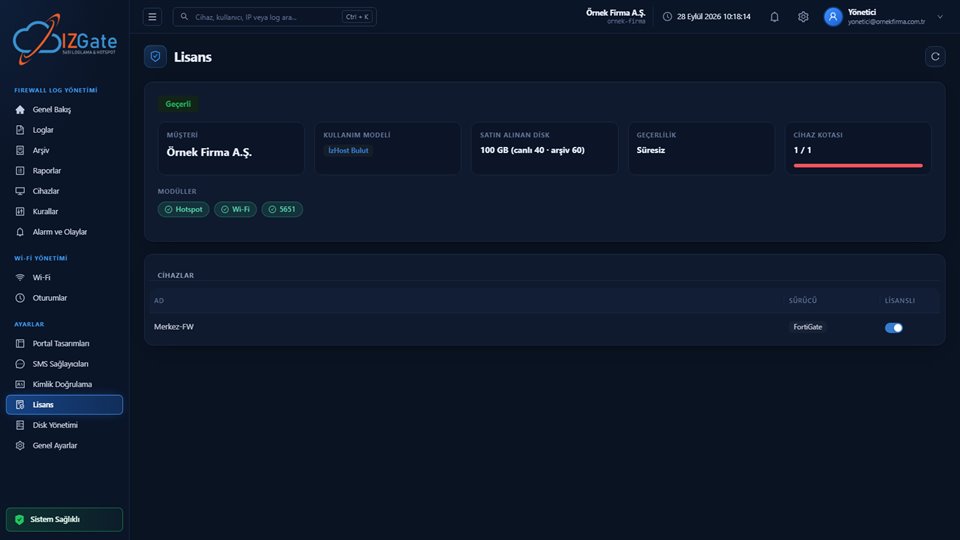
Pricing on both izgate Cloud and the on-premises IzGate License is based on an annual license per firewall device. A single-branch business with one firewall has a different license need than a chain with a separate firewall at every branch; the license is assigned to a device from the panel and can be moved to another device when needed. On the on-premises model, the license is also modular — the Hotspot, Wi-Fi (office RADIUS), and 5651 (log archive) modules are each enabled separately, and you only pay for the module you need.
2. Log volume and retention period
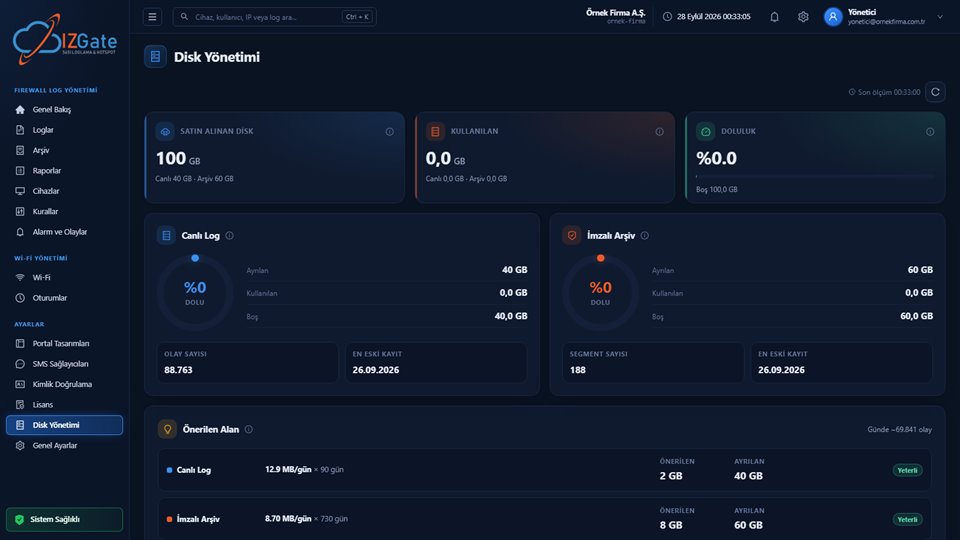
Your storage need is roughly the product of two numbers: the daily log volume you produce (GB) and the number of days you retain it. Daily volume varies with how many firewalls you have, how busy your traffic is, and how many users are on those networks — a shopping mall with a busy guest Wi-Fi and a single office network don't produce the same volume. On retention, the Regulation requires two years (see the log retention period guide); this period is kept in parallel for both live logs and the archive.
On izgate Cloud, your total disk space is split between live logs and the archive by default in a 30/70 ratio (the live side must be at least 10 GB); you can adjust this ratio yourself from Settings > Disk Management as your usage pattern changes. A warning appears in the panel once disk usage crosses a threshold, but records aren't deleted automatically — so growing log volume may mean buying additional disk/GB over time.
3. SMS credits
Unlike the other items, this one is purely a matter of choice: two businesses with the same number of guests can face very different SMS costs depending on their verification-method preference.
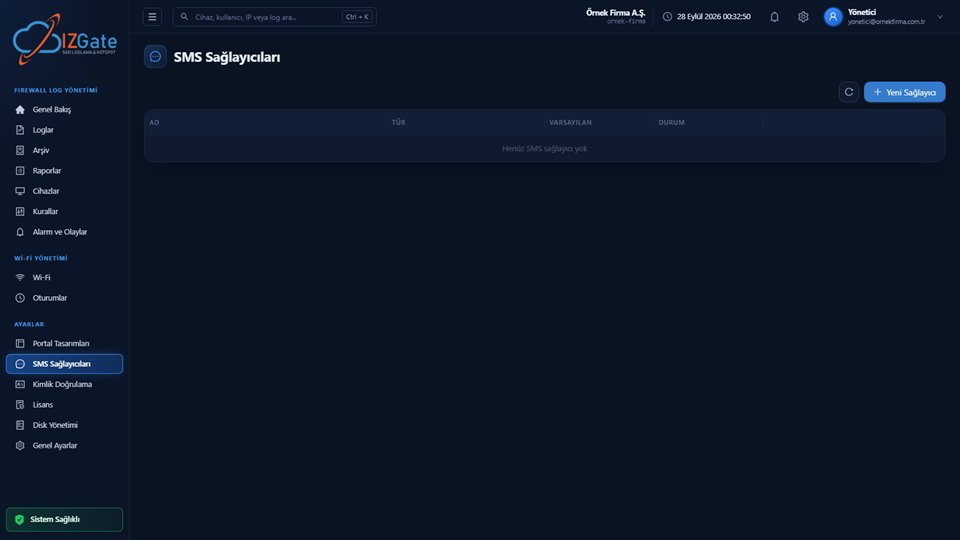
If you chose SMS verification on guest Wi-Fi, you can connect your own SMS provider (with your own contract and your own credit cost) or use izgate's prepaid SMS credit service. This is a separate line item that feeds into monthly cost as your guest count and verification frequency grow; businesses that prefer non-SMS methods (Turkish ID, visitor code, administrator approval, device registration) don't incur this cost, or incur a smaller one.
4. Deployment form
In the cloud, setup isn't a cost item: once the order is placed on the /satin-al page, your account opens automatically. On the on-premises model, preparing the server, running the install with install.sh, and adding the first devices is a one-time workload; this is assessed at the quote stage.
5. On-premises hardware or cloud?
This choice determines how you pay the sum of the previous four factors: with the on-premises model the upfront investment is bigger and additional cost over time is more predictable; in the cloud there's no upfront investment, and cost rises and falls regularly with usage.
On the on-premises model, the hardware (a Linux server, 2+ CPU, 4 GB RAM, and two separate disks for /log and /archive) belongs to you; that means an upfront investment and expanding disk as storage needs grow over time. In the cloud model, this hardware is hosted at İzHost, and you pay a regular fee based on your firewall license count and log retention space. The models don't differ in features; the only thing that determines the difference is who operates the server/disk — see the log appliance/software/cloud guide for a detailed comparison.
How can you roughly estimate your storage need?
Even without giving a price, there's a simple way to roughly estimate your own need: total storage (GB) ≈ average daily log volume (GB) × number of retention days. For example, a single office network might produce a few hundred MB of log per day, while a shopping mall with a busy guest Wi-Fi might produce several GB per day; two years of retention multiplies that daily volume by roughly 730. The actual number depends on your firewall count, user density, and network type; for this reason, precise planning should be done by looking at the real growth rate on the panel's Disk Management screen after setup.
An example of this calculation: for a business with three branches, each with one firewall, total storage need is approximately the sum of the three branches' daily volumes multiplied by the retention days. If one of the branches runs a busy guest Wi-Fi, that branch's daily volume can be significantly higher than the others, and the total need is driven by that branch.
Summary: decisions that raise/lower cost
- Raises it: many firewalls, high traffic volume, a long retention period, guest Wi-Fi with heavy SMS verification.
- Lowers it: non-SMS verification methods (visitor code, administrator approval, device registration), need-based modular licensing (on-premises), adjusting the disk ratio to your usage pattern (cloud).
- Doesn't change: the feature set; cloud and on-premises share the same log, search, and archive architecture.
Questions to ask when getting a quote
When using the demo request form for the on-premises model, it helps to have the following information ready in advance so the conversation turns into a faster, more accurate quote:
- How many branches do you have, and how many firewall devices at each branch?
- If you have guest Wi-Fi, roughly how many daily guests do you have?
- Which verification method (SMS, Turkish ID, visitor code, etc.) are you planning to use?
- Do you need a retention policy longer than two years?
- Do you prefer on-premises or cloud, or do you want to see the details of both before deciding?
Frequently asked questions
Can I find pricing on this page?
No, this page explains what makes up the cost, it doesn't give a price. On izgate Cloud, price is calculated instantly on the purchase page based on your firewall license count and log retention space; for the on-premises model you can use the demo request form.
How can I estimate my log volume in advance?
Giving an exact number depends on your firewall count, user/traffic density, and network type (guest Wi-Fi, office, mixed). After setup, the panel's Disk Management screen shows the daily/weekly growth rate; with the first weeks' data you can plan the total space you'll need for your retention period more accurately.
Does cost go down if I don't use SMS?
The SMS credit line item disappears or shrinks; other verification methods such as Turkish ID, visitor code, administrator approval, or device registration carry no extra credit cost.
Is on-premises or cloud cheaper?
This depends on whether you've already made the server/disk investment and on your IT team's maintenance capacity; the two models have different pricing bases (GB-based in the cloud, per-device modular licensing on-premises). For an exact comparison, it's best to share your needs through the demo request form.
Do I pay extra if the disk fills up?
In the cloud, a warning appears in the panel once disk usage crosses a threshold; to keep growing you'll need to upgrade the plan/GB. Records aren't deleted automatically even if the disk fills up. On the on-premises model, expanding the disk is your own responsibility.
This page is for information only; for the current text of the legislation, refer to the official source (mevzuat.gov.tr).