
The guest_desk permission
One of the 8 keys in the İzHost permission catalog, guest_desk narrows the panel menu down to only the Pending Approvals, Visitor Codes, and Sessions screens.
The Wi-Fi page's Guests, Pending Approvals, Pre-Registrations, Registered Devices, and Visitor Codes tabs bring your reception or security team's daily work together in one panel; none of them ever show a guest's raw identity.
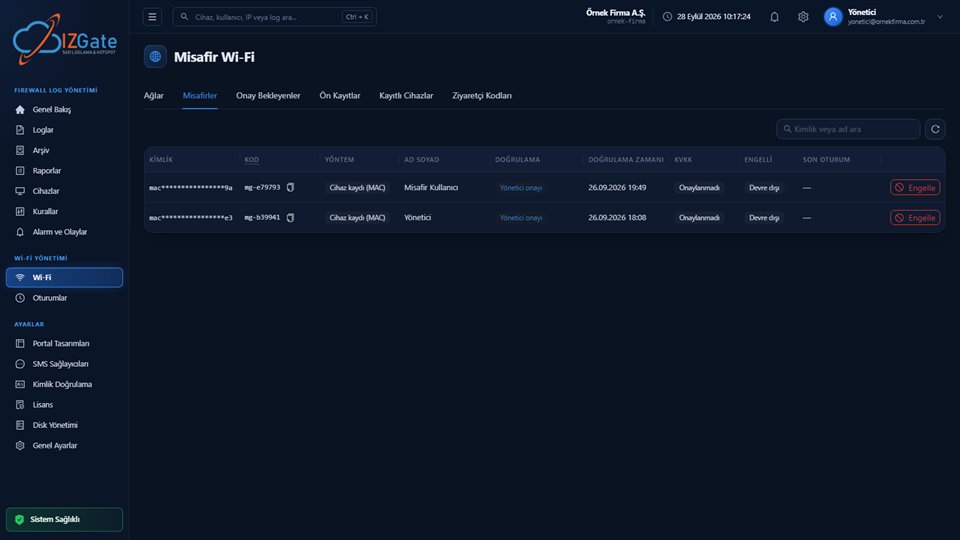
A list of all verified guests: masked identity, alias code, method, full name, verification source and time, KVKK status, blocking.
Admin approval and device registration requests in one list; request type, guest, device, operating system, MAC, IP, and network columns.
People your organization's system has written ahead of time via the API: identity, type, full name, validity, organization reference, usage, and status.
Devices registered by MAC: device, MAC, owner, code, operating system, network, access (unlimited), and status.
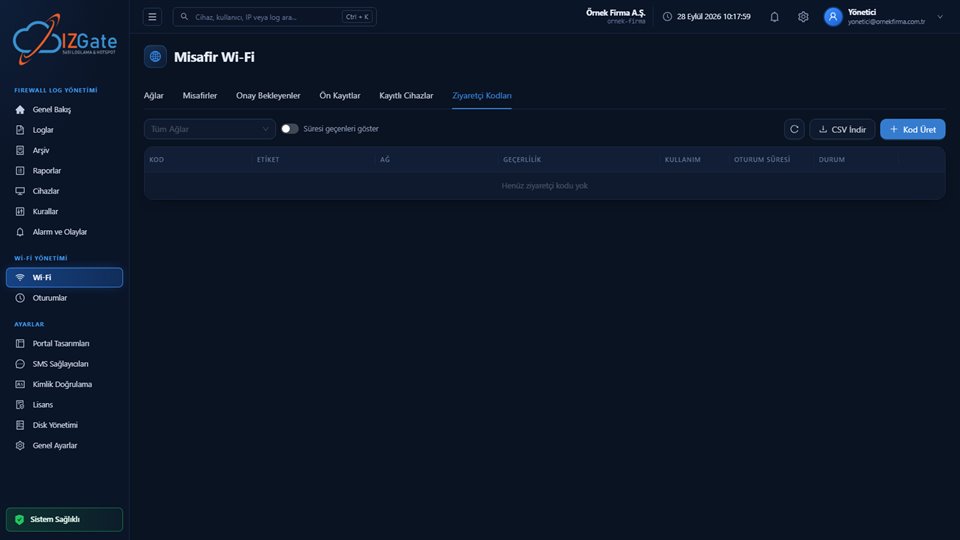
Bulk-generated codes: code, label, network, validity, usage, session duration, status; CSV download and code-generation buttons at the top.
Table columns: Identity (masked, e.g. mac****************9a), Code (a fixed alias code, e.g. mg-e79793, copyable), Method (e.g. "Device registration (MAC)"), Full Name, Verification (source — e.g. "Admin approval"), Verification Time, KVKK (Not Confirmed/Confirmed), Blocked (Disabled/Active), and a red "Block" button on the right. A search box by identity or name and a refresh icon sit at the top.
The raw phone number or Turkish ID number is never shown here either; only the masked identity and the fixed alias code appear. The "Block" button cuts off a guest's access instantly from the panel.
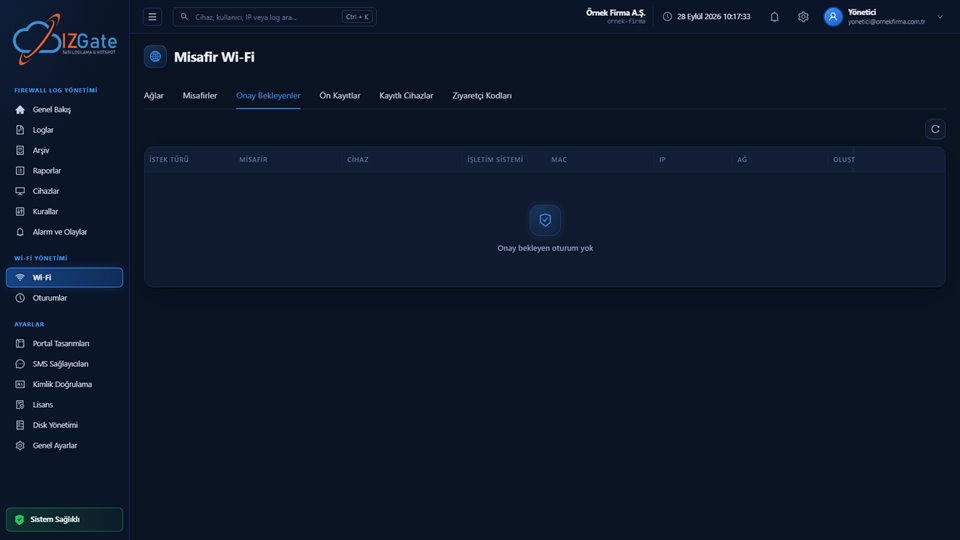
Columns: Request Type, Guest, Device, Operating System, MAC, IP, Network, and Created time. If there are no pending requests, the panel shows a "No pending sessions" empty state with a shield icon. When a request comes in, each row has an approve/reject action; for device registration requests, approval completes the person's identity through a "Complete Registration" step (Turkish ID/phone, or no identity at all).
Approval turns the session into a verified one; the identity information is generated on the guest's own device, and it's never sent to the approving admin. If approval isn't given within 30 minutes, the request expires.
At the top are a network selector, an identity/name search box, and a "Active only" toggle; an "Add Pre-Registration" button sits on the right. Table columns: Identity, Type, Full Name, Validity, Organization Reference, Usage, Password, and Status. If there are no records, a "No pre-registrations" message is shown.
Pre-registrations come either from people your own system writes (using the network's integration key) to the POST /api/v1/integrations/preregistrations endpoint, or from entries added manually in the panel; on the portal, the guest confirms their registration with just a short piece of information (phone or full name).
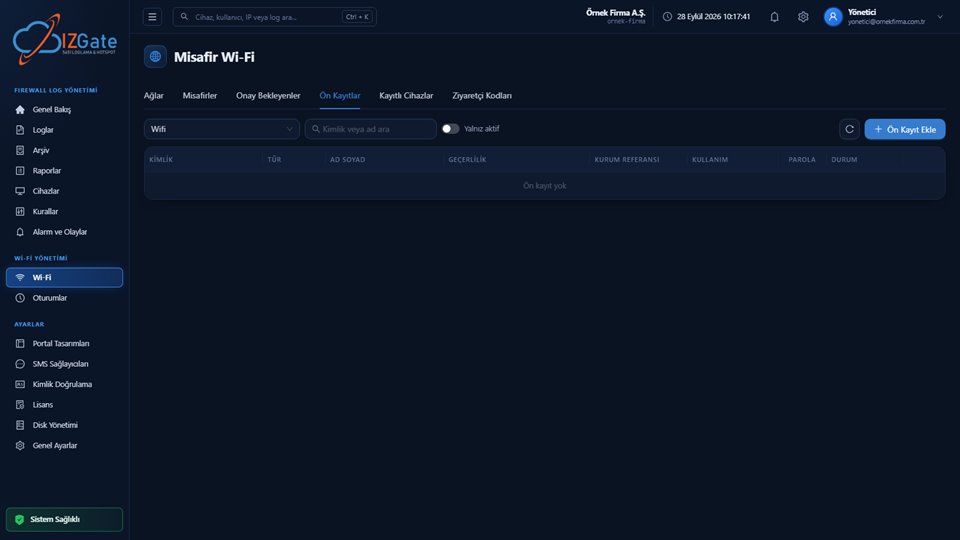
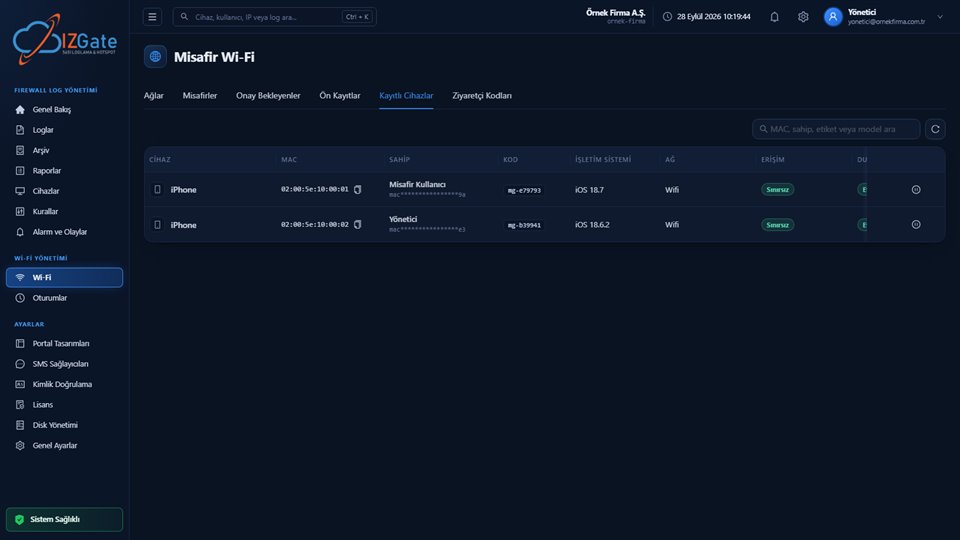
Table columns: Device (type icon + model, e.g. iPhone), MAC (copyable), Owner (name + masked identity on a sub-line), Code (alias code), Operating System (e.g. iOS 18.7), Network, Access (a green "Unlimited" badge), and Status; an info icon sits at the far right. A search box at the top lets you search by MAC, owner, label, or model.
This list shows devices that have passed admin approval through the "Device registration (MAC)" method; disabling or deleting a device also cuts off its firewall access instantly.
At the top are a network filter ("All Networks"), a "Show expired" toggle, and "Download CSV" and "Generate Code" buttons on the right. Table columns: Code, Label, Network, Validity, Usage, Session Duration, and Status. If no codes have been generated yet, a "No visitor codes yet" message is shown.
When generating a code, you define a label (e.g. a meeting room name), a validity window, a usage-count limit, and a session-specific duration; the list can be exported as CSV and printed, and a code can be revoked.
You can define a permission that opens only daily guest operations, without giving technical access to the panel.
One of the 8 keys in the İzHost permission catalog, guest_desk narrows the panel menu down to only the Pending Approvals, Visitor Codes, and Sessions screens.
Technical pages like Devices, Firewall Rules, Logs, Archive, and License are invisible with this permission; reception stays limited to guest operations alone.
This permission is shared with the sub-user catalog at izhost.com; once the owner assigns it, the panel menu narrows automatically.
On these pages, a guest's real phone number or Turkish ID number is never shown in the clear; only the masked identity and the fixed alias code appear. "Remember device" by MAC isn't automatic — device registration is valid only for devices that have passed admin approval; because a MAC address can be spoofed on the same VLAN, registration only opens with approval and can be switched off instantly from the panel.
No. The list only shows the masked identity (e.g. mac****************9a) and a fixed alias code (mg-xxxxxx) per person; raw identity information never appears in the clear on any screen.
Requests coming through the admin approval method and device registration (MAC) requests are gathered in the same list; both are approved or rejected from the panel.
Yes, use "Download CSV" in the Visitor Codes tab to download and print the list of all generated codes.
You can disable or delete the device from the Registered Devices tab; this also removes the user from the firewall at the same time, cutting off access instantly.
Assign the sub-user the guest_desk (Guest Desk) permission to limit the panel menu to only the Pending Approvals, Visitor Codes, and Sessions screens.
Configure izgate Cloud based on your number of firewall devices and storage needs; no setup, get started in minutes. Call us with any questions.