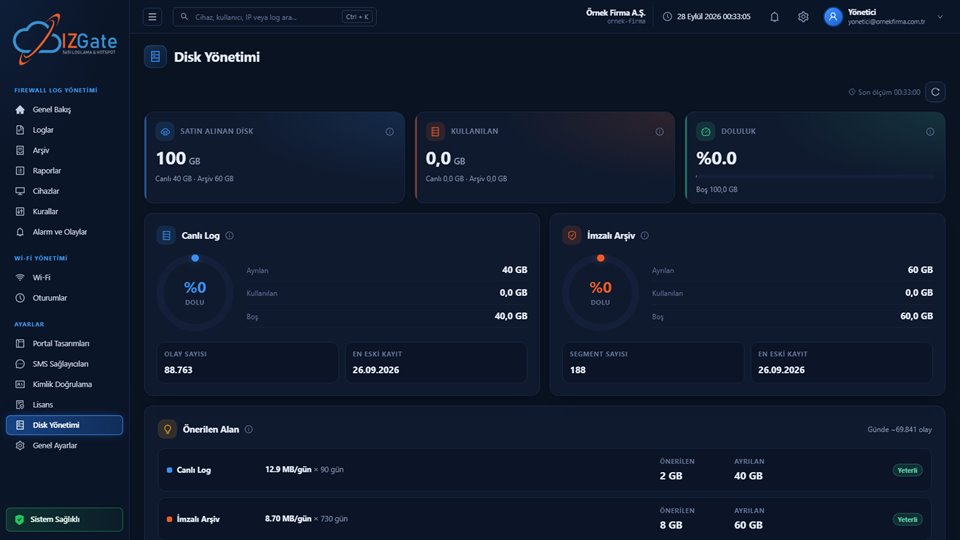
Settings · Panel › Disk Management
Disk Management: the panel tells you before fill-up catches you off guard.
The Disk Management page shows the quota, usage, and fill level of the live log (a column-oriented ClickHouse database) and the signed archive disk separately. A "Recommended Space" card, calculated from your last 7 days' real event rate, lets you spot disk space that will fall short of your retention period before it happens.
- Separate quota/usage/fill level for live and archive
- Recommended Space: event rate × retention × 20% margin
- On-premises installs show real disk paths
LiveFast-search database, separate disk
ArchiveFile system, separate disk
Live in the cloudAt least 10 GB
Recommended space7-day rate × retention × 20%
On-premises growthNot from the panel
If the cloud runs shortizgate.com account page